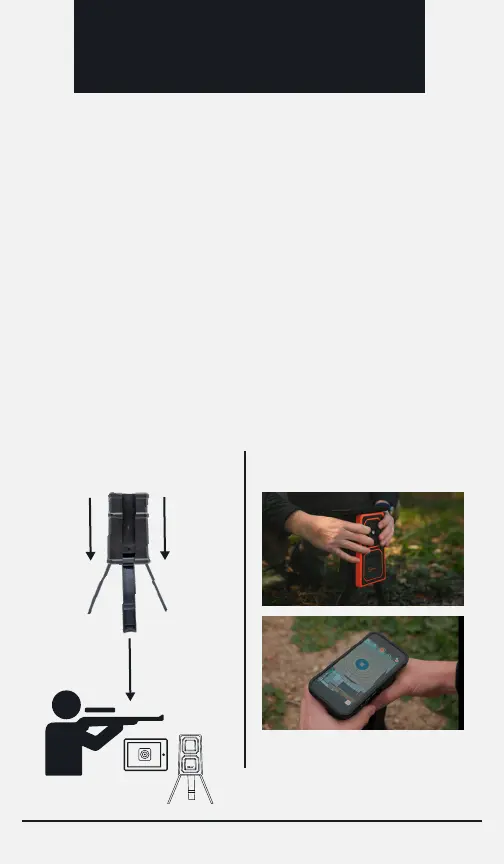
1. Aim Back of Camera
to Shooting Position
2. Aim Camera Ball to Target
SETUP &
USE
After determining the correct distance from the target to set
the camera up, you will need to
1. Aim the back of the camera housing towards your shooting
position and
2. Aim the camera ball to look at the target. To aim the camera
housing towards your shooting position, simply stand in front
of the camera and look back to your shooting position over the
top of the camera. The alignment does not have to be exact
but you want to be sure the camera is pointed back in the
general direction of your shooting position and that the
housing is not pointed towards the ground. After aiming the
housing, use the live video feed from the app to aim the
camera ball and get the desired view of your target.
2. Aim the camera housing and ball:
Page 5


 To Next Page