EasyManua.ls Logo

LORCH M 2090 - User Manual

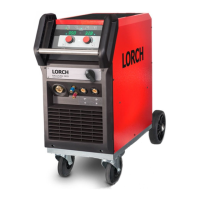
LORCH M 2090
12 pages
Print Icon
To Next Page IconTo Next Page
Loading...
910.1053.1-12
Operation Manual
MIG/MAG Welding System
M-Series

Questions and Answers

  • W
    William FrancoAug 20, 2025
    Why is my LORCH M 2090 Welding System machine switching off?
    • S
      Stephanie WintersAug 20, 2025
      The LORCH Welding System machine might be switching off due to the duty cycle being overloaded, which is indicated by control lamp 39. Allow the machine to cool down. Another cause could be insufficient cooling of machine parts, so check the air inlet and outlet.
  • S
    shannaAug 22, 2025
    What to do if there is less welding performance in my LORCH Welding System?
    • X
      xkhanAug 22, 2025
      If your LORCH Welding System exhibits less welding performance, it could be due to several reasons: * A missing phase: Check the machine at another socket and inspect the mains and fuses. * Poor ground connection: Ensure the best possible contact between the ground clamp and the workpiece. * Ground cable not properly plugged in: Fasten the ground cable by turning the plug to the right. * Defective torch: Repair or replace the torch. * Defective main rectifier: Check and replace the main rectifier, if required.
  • R
    Rachael SmithAug 25, 2025
    What to do if my LORCH Welding System has irregular or no wire feeding?
    • J
      James BakerAug 25, 2025
      If your LORCH Welding System is experiencing irregular or no wire feeding, consider the following: 1. Incorrect contact pressure at the wire-feed rolls: Adjust it as described in the manual. 2. Torch defect: Check and replace if necessary. 3. Missing or dirty brass pipe in the central connection: Install or clean the brass pipe. 4. Poor quality of welding wire: Check and replace if necessary. 5. Rust formation on the welding wire: Check and replace if necessary. 6. Dirty torch liner: Disconnect the torch, unscrew the contact tip, and clean the liner with compressed air. 7. Dejected torch liner: Check and replace if necessary. 8. Motor brake adjusted too strongly: Adjust as described in the manual. 9. Defective main rectifier: Check and replace if required.
  • J
    jeffreywardAug 26, 2025
    Why is there no shielded gas coming from my LORCH M 2090?
    • D
      Deanna FranklinAug 27, 2025
      If there is no shielded gas in your LORCH Welding System, the possible causes are: * The gas cylinder is empty: Replace it. * Defective torch: Check and replace it. * Pressure reducer is dirty or defective: Check and replace it. * Valve of gas cylinder defective: Replace the gas cylinder.
  • N
    Nicholas JohnsonAug 28, 2025
    What to do if my LORCH M 2090 Welding System's torch button doesn't work?
    • G
      ghallAug 28, 2025
      If there is no function when the torch button is pressed on your LORCH Welding System, the issue might be: * The nut of the torch hose is not tight: Tighten it. * No connection of the control cable in the torch hose: Check and change if necessary. * Overload of the machine and thermal protection is active (control lamp 39 indicates overload): Allow the machine to cool down at no load.
  • D
    Donna RichardsonAug 30, 2025
    Why is my LORCH M 2090's shielding gas not switching off?
    • W
      William GeorgeAug 30, 2025
      If the shielding gas in your LORCH Welding System is not switching off, it could be because the valve of the gas cylinder is dirty or does not close. Remove the torch and pressure reducer and clean it with compressed air.
  • R
    Robert MorenoSep 1, 2025
    Why is the plug of ground cable hot in my LORCH Welding System?
    • E
      Elizabeth HarrisSep 1, 2025
      If the plug of the ground cable is hot on your LORCH Welding System, check that the plug was tightened by turning it to the right.
  • M
    Marvin MurraySep 3, 2025
    What causes an unstable arc in my LORCH Welding System?
    • A
      Adam CampbellSep 3, 2025
      An unstable arc in your LORCH Welding System can be caused by a contact tip with the wrong diameter or a worn-out contact tip. Change the contact tip.
  • A
    Alyssa BurnsSep 5, 2025
    How to fix irregular wire feeding in LORCH M 2090?
    • J
      Juan PriceSep 5, 2025
      Irregular wire feeding or wire welds to the contact tip in your LORCH Welding System can occur if the wire electrode is tight at the spool. Check and change it if necessary. It can also happen if there is a burr at the wire beginning, so cut the wire beginning again.
  • B
    Brian MorrisSep 7, 2025
    Why is my LORCH M 2090's torch too hot?
    • R
      richard82Sep 7, 2025
      If the torch of your LORCH Welding System is too hot, check if the contact tip is tight.

Summary

Safety Precautions and Transportation

General Safety Precautions

Emphasizes safe use of welding machines, removal of flammable materials, and protection against arc rays.

Transportation Guidelines

Specifies safe transport procedures, including securing the unit and removing gas bottles.

General Use and Unit Protection

Details general usage regulations, unit protection against overloading, and workpiece grounding.

Noise Emission Level

States the sound level of the unit is below 70 db(A) under standard load.

Electromagnetic Compatibility and Technical Data

Electromagnetic Compatibility (EMC)

Informs about EMC standards and potential disturbances to other devices.

Technical Data Overview

Provides detailed specifications for various M-Series welding models.

Before Operation Setup

Torch Connection Procedure

Connect the torch plug into the central socket for operation.

Mains Connection Guide

Connect the welding unit to the mains socket as per technical data.

Wire Spool Insertion

Insert the wire spool onto the wire coil pick-up correctly.

Wire Electrode Insertion

Insert the wire electrode through the torch and connection.

Ground Cable Connection

Connect the ground clamp to the workpiece securely.

Starting Up the Welding Unit

Operating Panel Overview

Description of controls and indicators on the operating panel.

Main Switch and Voltage Selection

Select mains voltage and switch on the unit.

Mode Selector Switch

Select welding mode (2-Stroke, 4-Stroke, Spot).

Step Switch Operation

Fine-tune welding voltage for material and electrode.

Wire Feed Control Knob

Fine-tune wire feed speed.

Spot Welding Control Knob

Adjust spot welding time.

Overload Indicator Lamp

Monitor unit overload via yellow control lamp.

MIG;MAG Welding Process Basics

MIG;MAG Welding Principle

Explanation of the MIG/MAG welding process using wire electrode and shielding gas.

Types of Welding Arc

Describes short circuit, transitional, long, and spray arcs.

MAG Welding Work Range

Table showing working ranges for different wire diameters and arc types.

Torch Manipulation and Arc Control

Torch Holding and Manipulation

Guidance on holding and manipulating the torch in various welding positions.

Arc Length Adjustment

Explains how arc length affects penetration and bead appearance.

Wire Electrode Length

Details the impact of electrode extension on amperage and penetration.

Troubleshooting Common Issues

Torch and Wire Feed Problems

Diagnoses issues like torch overheating, no wire feed, and irregular wire feeding.

Machine and Power Issues

Addresses problems like machine switching off, no mains light, and no shielded gas.

Performance and Connection Issues

Covers less welding performance, hot plug issues, and wire wear.

Options, Disposal, and Service

Wire Feed Options

Details variations for steel and aluminium wire feed units.

Product Disposal Guidelines

Instructions for environmentally compatible recycling of electric tools.

Service and Contact Information

Provides company contact details for service inquiries.

CE Certificate of Conformity

Declaration of conformity to relevant European standards.

LORCH M 2090 Specifications

General IconGeneral
BrandLORCH
ModelM 2090
CategoryWelding System
LanguageEnglish

Related product manuals