EasyManua.ls Logo

Lorex LBV2521 - User Manual

Lorex LBV2521
2 pages
Print Icon
To Next Page IconTo Next Page
Loading...
Quick Start Guide
English Version 3.0
LBV2521_SERIES_TRIFOLDQSG_EN_R3
Contents
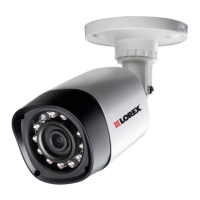
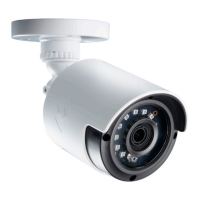
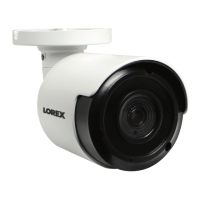
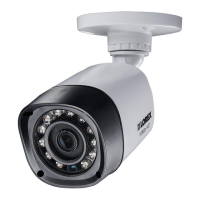
IR Night Vision Camera*
Mounting Kit*
60ft BNC / Power Extension Cable*
Power Adapter**
ATTENTION - If using a DC power adapter with the camera, a REGULATED
UL / CSA APPROVED power supply is REQUIRED for use with this camera.
Use of a non-regulated, non-conforming power supply can damage this
product and voids the warranty.
Warning/Caution
Read this guide carefully and keep it for future reference.
Follow all instructions for safe use of the product and handle with care.
Use the cameras within given temperature, humidity and voltage levels
noted in ‘Camera Specifications’.
Do not disassemble the cameras.
Do not point the cameras directly towards the sun or a source of intense
light.
Use only the supplied regulated power supply. Use of a non-regulated,
non-conforming power supply can damage this product and voids the
warranty.
Periodic cleaning may be required. Use a damp cloth only. Do not use
harsh cleaners or aerosol cleaners.
Installation Tips
Point the cameras where there is the least amount of obstructions (i.e. tree
branches).
Install the cameras where they are difficult for vandals to reach.
Secure cabling so that it is not exposed or easily cut.
Cameras rated for outdoor use. Installation in a sheltered location
recommended.
* Per camera in multi-camera packs.
**A Multi-Camera Power Adapter that provides power to multiple cameras or individual power
adapters may be provided, depending on product configuration.
Resources
Vist www.lorextechnology.com
Search the model number of your product
Click on your product in the search results
1
2
3
4
Click the Downloads tab
Need Help?
Visit us online for up-to-date software and complete
instruction manuals
LBV2521 / LBV2521P SERIES
Copyright © 2016 Lorex Corporation
As our products are subject to continuous improvement, Lorex reserves the right to modify product
design, specifications and prices, without notice and without incurring any obligation. E&OEts
reserved.
Disclaimers:
* Compatible with Lorex MPX series DVRs only.
** Stated IR illumination range is based on ideal conditions in typical outdoor night time ambient
lighting and in total darkness. Actual range and image clarity depends on installation location,
viewing area and light reflection / absorption level of object.
*** Not intended for submersion in water. Installation in a sheltered location recommended.
6.0 in / 153 mm
2.7 in / 70mm
Dimensions
2.7 in / 70 mm
MPX 1080P WEATHERPROOF
NIGHT VISION SECURITY CAMERA

Questions and Answers

  • B
    Brittany AdkinsJul 27, 2025
    Why does my Lorex Security Camera have no picture or signal?
    • T
      tjensenJul 27, 2025
      If your Lorex Security Camera shows no picture or signal, there might be several reasons: * Ensure the camera is connected to an MPX Series DVR, as it is not compatible with other DVR models. Check www.lorextechnology. com for compatibility information. * Verify that your TV is on the correct input channel (INPUT, AV CHANNEL, LINE1, LINE2, AUX). * Confirm that your DVR is properly connected to your TV or monitor. * Make sure you have the correct camera for your system. 1080p cameras are compatible with 1080p HD DVR recorders; 720p cameras are compatible with 720p & 1080p HD DVR recorders. * Ensure all connections are properly connected. * Check that the camera power supply is plugged in.
  • A
    andrea05Aug 1, 2025
    What to do if the picture on my Lorex LBV2521 is too bright?
    • R
      rjohnsonAug 1, 2025
      If the picture from your Lorex Security Camera appears too bright, it could be due to the camera pointing directly at a light source. Make sure your camera isn’t pointed directly at a source of light, such as the sun or a spotlight. If that doesn't help, try moving your camera to a different location.
  • J
    Justin KelleyAug 5, 2025
    How to fix a dark picture on my Lorex LBV2521 Security Camera?
    • J
      Jonathan MilesAug 6, 2025
      If the picture from your Lorex Security Camera is too dark, check the brightness and contrast settings of the DVR or monitor.
  • S
    Sharon BraunAug 10, 2025
    Why is night vision not working on my Lorex LBV2521?
    • S
      Samantha DiazAug 11, 2025
      Night vision on your Lorex Security Camera activates when light levels drop. If the night vision is not working, the area may have too much light.
  • A
    Ann AndersonAug 16, 2025
    How to clean Lorex LBV2521 lens for clear picture?
    • S
      sherrimayerAug 16, 2025
      If the picture from your Lorex Security Camera is not clear, inspect the camera lens for dirt, dust, or spiderwebs. Clean the lens with a soft, clean cloth. Also, ensure that the cable run is within the limitations specified in the section ‘Cable Extension Options’.
  • M
    Michelle GayAug 21, 2025
    What causes bright spots in video at night on my Lorex LBV2521 Security Camera?
    • R
      Richard CarterAug 21, 2025
      A bright spot in the video when viewing your Lorex Security Camera at night can occur when night vision reflects off a window. To resolve this, move the camera to a different location.

Summary

Resources

Need Help?

Find online support and complete instruction manuals for your product.

Warning;Caution

Installation Tips

Dimensions

Disclaimers

Installing the Cameras

Adjusting the Camera

Detailed instructions on how to adjust the camera's arm and rotation.

Connecting the Cameras

Power Adapter Types

Information on individual vs. multi-camera power adapters for your setup.

Setup Diagram

Visual guide showing how to connect cameras to the DVR.

Cable Extension Options

Troubleshooting

Lorex LBV2521 Specifications

General IconGeneral
Resolution1080p (1920 x 1080)
Night VisionYes
Weather ResistanceIP66
Power Supply12V DC
Image Sensor1/2.7" CMOS
Lens3.6mm
Night Vision RangeUp to 100ft (30m)
IR Cut FilterYes
Operating Temperature-22°F to 140°F (-30°C to 60°C)
Housing MaterialMetal
Two-Way AudioNo
Motion DetectionYes
ConnectivityBNC
Field of View90 degrees

Related product manuals