FOR SUPPORT AND INFORMATION,
VISIT WWW.LOREXTECHNOLOGY.COM
Product Information
User Manuals
Quick Start Guides
Specification Sheets
Software Upgrades
Firmware Upgrades
Contents
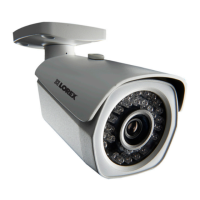
• IP Bullet Camera*
• Mounting Kit*
• Mounting Template*
• Allen Key*
• 2 x Allen Set Screw*
• Cat5e Ethernet Extension Cable*
Copyright © 2015 Lorex Corporation
As our products are subject to continuous improvement, Lorex Corporation reserves the right to modify
product design, specifications and prices, without notice and without incurring any obligation. E&OE
LNB3143R_SERIES_TRIFOLDQSG_EN_R1
ATTENTION - It is recommended to connect the
camera to the NVR or an external PoE switch. If using
a DC power adapter with the camera, a REGULATED
UL / CSA APPROVED power supply is REQUIRED for
use with this camera. Use of a non-regulated, non-
conforming power supply can damage this product
and voids the warranty.
Features
• High definition 1080p image sensor delivers superior detail*
• Infrared cut filter ensures accurate color representation
• Anti-glare feature ensures clear images under strong lighting conditions
• Split glass design minimizes IR reflection
• Weatherproof for outdoor & indoor installation (IP66 Rated)**
• Vandal resistant design with cable pass-through bracket
• Heavy-duty durable metal housing
• Simple installation of video and power on a single cable with Power over
Ethernet (POE) CAT5e cable
• Versatile ceiling or wall mounting options
• Expand your coverage with camera Ethernet cable up to 300’ from the
NVR
Disclaimers:
* Compatible with Lorex HD NVR LNR100, LNR400, and LNR500 series only
** Not intended for submersion in water. Installation in a sheltered location recommended.
Warning/Caution
• Use the camera only with compatible Lorex NVRs
• Read this guide carefully and keep it for future reference
• Follow all instructions for safe use of the product and handle with care
• Use the camera within given temperature, humidity and voltage levels
noted in Camera Specifications
• Do not disassemble the camera
• Do not point the camera directly towards the sun or a source of intense
light
• Periodic cleaning may be required. Use a damp cloth only. Do not use
harsh cleaners or aerosol cleaners
• The supplied extension cable is rated for surface mounting only
• Cables for in-wall / floor-to-floor installations are sold separately
Installation Tips
• Point the camera where there is the least amount of obstructions (i.e. tree
branches)
• Install the camera in a location that is difficult for vandals to reach
• Secure cabling so that it is not exposed or easily cut
• Camera rated for outdoor use. Installation in a sheltered location
recommended
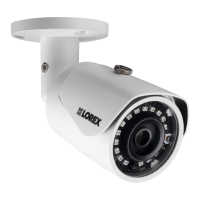
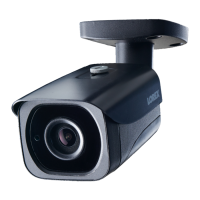
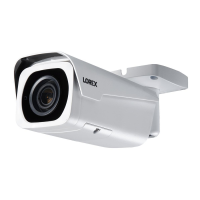
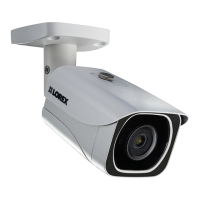
WEATHERPROOF HIGH DEFINITION
NIGHT VISION IP SECURITY CAMERA
Quick Start Guide
English Version 1.0
LNB3143R SERIES
* Per camera.
172mm / 6.7”
72mm / 2.8”
Dimensions
75mm / 3.0”

 Need help?
 General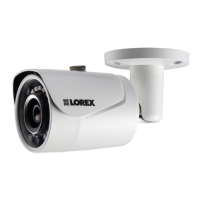


 To Next Page