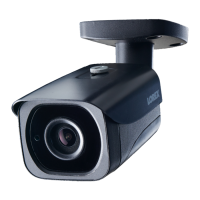
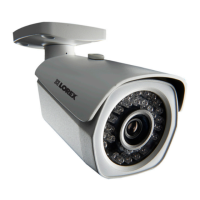
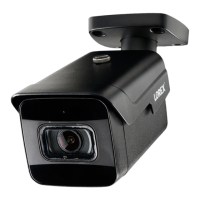
4K Ultra HD IR Bullet IP Camera
LNB9232_QSG_EN_R1
Quick Start Guide
English Version 1.0
Copyright © 2018 Lorex Corporation
As our products are subject to continuous improvement, Lorex reserves the right
to modify product design, specifications and prices, without notice and without
incurring any obligation. E&OE. All rights reserved.
• For a full list of compatible recorders, visit lorex.com/compatibility.
• Not intended for submersion in water. Installation in a sheltered location
recommended.
• This camera includes an Auto Mechanical IR Cut Filter. When the camera changes
between Day/Night viewing modes, an audible clicking noise may be heard from
the camera. This clicking is normal, and indicates that the camera filter is working.
• For optimal remote viewing from your recorder, an upload speed of 256kbps per
camera is required (default setting). For example, your Internet service package
must support 2Mbps or greater upload speed for 8 cameras, 4Mbps or greater
for 16 cameras, and 8Mbps or greater for 32 cameras (your Internet service
provider can confirm your upload speed). You may lower the resolution and
bitrate of camera video streams to further boost performance for slower Internet
connections. See your NVR's user manual at lorex.com for full instructions (see
"Configuring Recording Quality" section).
Disclaimers
Dimensions
7.6” / 193mm3.1” / 78mm
LNB9232 SERIES
• 4K Ultra HD IR Bullet IP Camera
• Mounting Kit*
• Mounting Template*
• Ethernet Extension Cable with Pre-attached RJ45 Cable Gland*
* Per camera in multi-camera packs.
Package Contents
ATTENTION:
It is recommended to connect the camera to the NVR or an external PoE
switch. If using a DC power adapter (not included) with the camera, a
REGULATED power supply is REQUIRED for use with this camera. Use of
a non-regulated, non-conforming power supply can damage this product
and voids the warranty.
• Use the camera only with compatible Lorex NVRs.
• Read this guide carefully and keep it for future reference.
• Follow all instructions for safe use of the product and handle with care.
• Use the camera within given temperature, humidity and voltage levels
noted in the camera’s specifications.
• Do not disassemble the camera.
• Do not point the camera directly towards the sun or a source of
intense light.
• Use only a regulated power supply with the product (optional). Use of a
non-regulated, non-conforming power supply can damage the product
and void the warranty.
• Periodic cleaning may be required. Use a damp cloth only. Do not use
any harsh, chemical-based cleaners.
• The supplied cable is rated for surface mounting only. Cables for in-wall
and floor-to-floor installations are sold separately (CMR type). These
and other cables are available at lorex.com.
Safety Precautions
www.lorex.com
• You can use a RJ45 coupler or switch (not included) to connect male
ends of Ethernet cable together.
• To extend the cable run beyond 300ft (92m), a switch will be required
(sold separately).
Extend the Ethernet cable run for your camera up to 300ft (92m).
See table below. It is recommended to use UL CMR approved cables
available at lorex.com.
Cable Extension Options
Cable Type
Max Cable Run
Distance
Max # of
Extensions
CAT5e (or higher) Ethernet cable 300ft (92m) 3
• Point the camera where there is the least amount of obstructions (i.e., tree
branches).
• Install the camera where vandals cannot easily reach.
• Secure cabling so that it is not exposed or easily cut.
• This camera is rated for outdoor use. Installation in a sheltered location is
recommended.
Installation Tips
Ethernet
Extension
Cable
RJ45 Cable Gland
Using the RJ45 Cable Gland (Optional)
The RJ45 cable gland is pre-attached to the
included Ethernet extension cable.
The RJ45 cable gland covers the camera’s Ethernet connector and the RJ45 plug to
provide weather-resistance and protection from dust, dirt and other environmental
contaminants.
To use the RJ45 cable gland:
RJ45 Cable
Gland Barrel
Camera Ethernet
Connector
NOTE: The RJ45 cable gland is weather-resistant. Seal the cap with silicone and/or
electrical tape for additional sealing if it will be exposed to precipitation regularly.
Twist the RJ45 cable gland barrel securely onto the camera Ethernet connector.
Resources
Need Help?
Visit us online for
up-to-date software and
complete instruction manuals
Click on the Downloads tab
4
Visit lorex.com
Search for the model number
of your product
Click on your product in the
search results
3
2
1

 Need help?
 General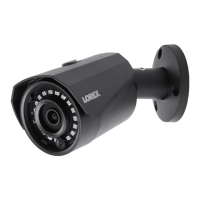


 To Next Page