Code: MSGB202$0500.doc 18/06/2004 P. 17 / 20
Parameters menu
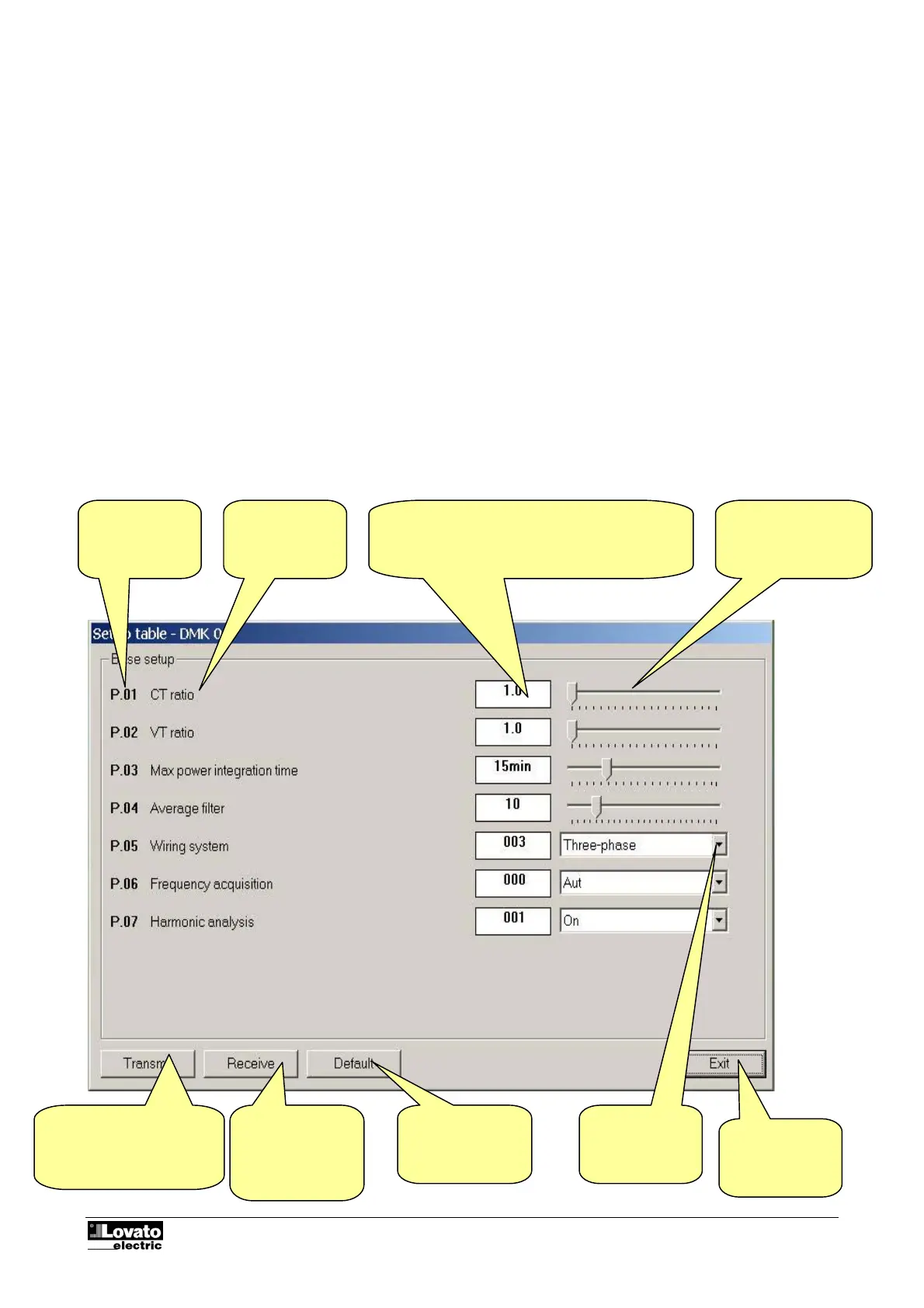
You can view and modify the setup parameters of the multimeters from the specific Parameters menu. This
method of accessing DMK settings is handier and more immediate compared with direct access from the
front keypad of the multimeters as, using the PC; the following are displayed:
• Code of the parameter
• Description in the language set
• Value set
• Graphic bar or drop-down box with possible options
The parameters have been grouped in four menus that reflect the organization described in the operations
manual and in the Addendum of the DMK. The following four menus are available:
• Basic setup (basic settings such as CT, VT ratio, etc.)
• Advanced setup (settings of the digital outputs)
• Capacitor overload setup (parameters relating to the capacitor protection function).
Basic setup
Fig. 9.1 – Parameters-Basic setup
Drop-down box
with possible
options
Transmits the values
displayed to the DMK and
saves them.
Enabled only with
Receives the
values from the
DMK and displays
them in the
window
Resets the factory
default values
Closes the
setup window
Code of the
parameter
Description
Numeric value of the parameter. Highlighted in
yellow if different from the factory-set default
value. Double clicking on this box, you can set the
parameter with the numeric keypad
Graphic bar.
Drag this with the
mouse to modify the
setting



 To Next Page