EasyManua.ls Logo

Lovato ATL10 - Page 5

Default Icon
20 pages
Print Icon
To Next Page IconTo Next Page
To Previous Page IconTo Previous Page
Loading...
Doc:MSGB102A0205.doc 15/07/11 P. 5/20
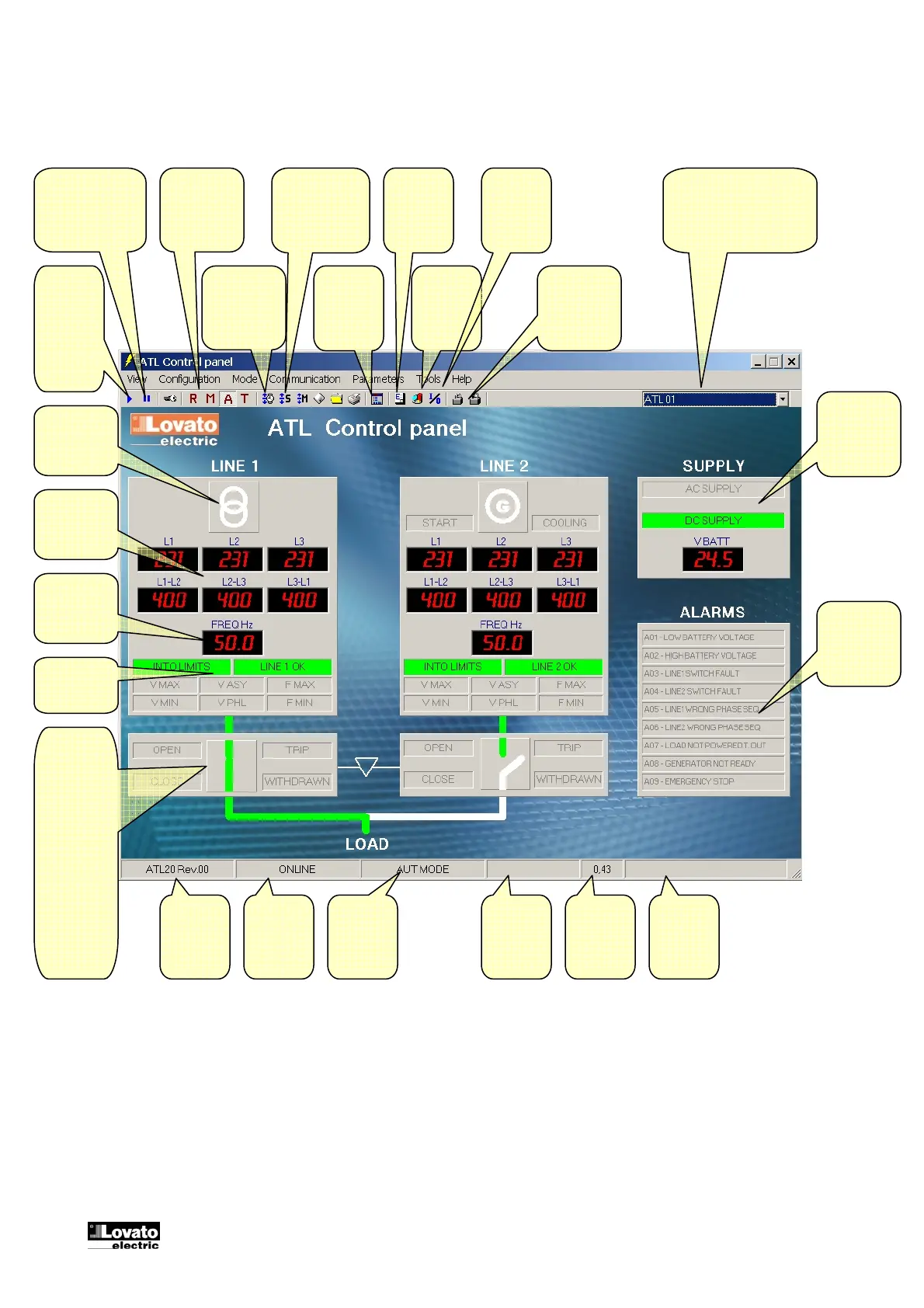
Main window
Switches
to
ONLINE
mode
(communi
cation
ON)
Switches to
OFFLINE mode
(communication
OFF)
Selects
operation
mode on
the ATL
A
ccesses the
setup menu
programming
Displays
the virtual
front panel
Switches
locking of the
A
TL keypad
ON/OFF
Serial
connection
status
Current
A
TL
operating
mode
Device
model and
software
revision
Displays
the event
log window
Drop-down box to select
the controller in RS-485
multi-drop networks.
Displays
statistic
data
Real time
clock setting
Displays
Inputs –
Outputs
status
Utility /
genset icon
Voltage
readings
Frequency
reading
Line status
indicators
Switching
device
status
indicators.
In MAN
mode,
double-
clicking on
this box will
initiate a
manual
changeover.
Page
refresh
time
Modem
status
Live alarms
A
C and DC
power supply
status
A
larms status

Related product manuals