Doc:MSGB102A0205.doc 15/07/11 P. 9/20
Password
When the software is started some of the functions are disabled. By means of the Password menu it is
possible to key in the password that will allow access to all functions, including:
• Modifying remote control software settings
• Entering a new password
• Delete records from Data log databases
• Modify the ATL settings from the remote control
• Operate the virtual front panel keys
• Reset MAX values, event log, operation counters etc.
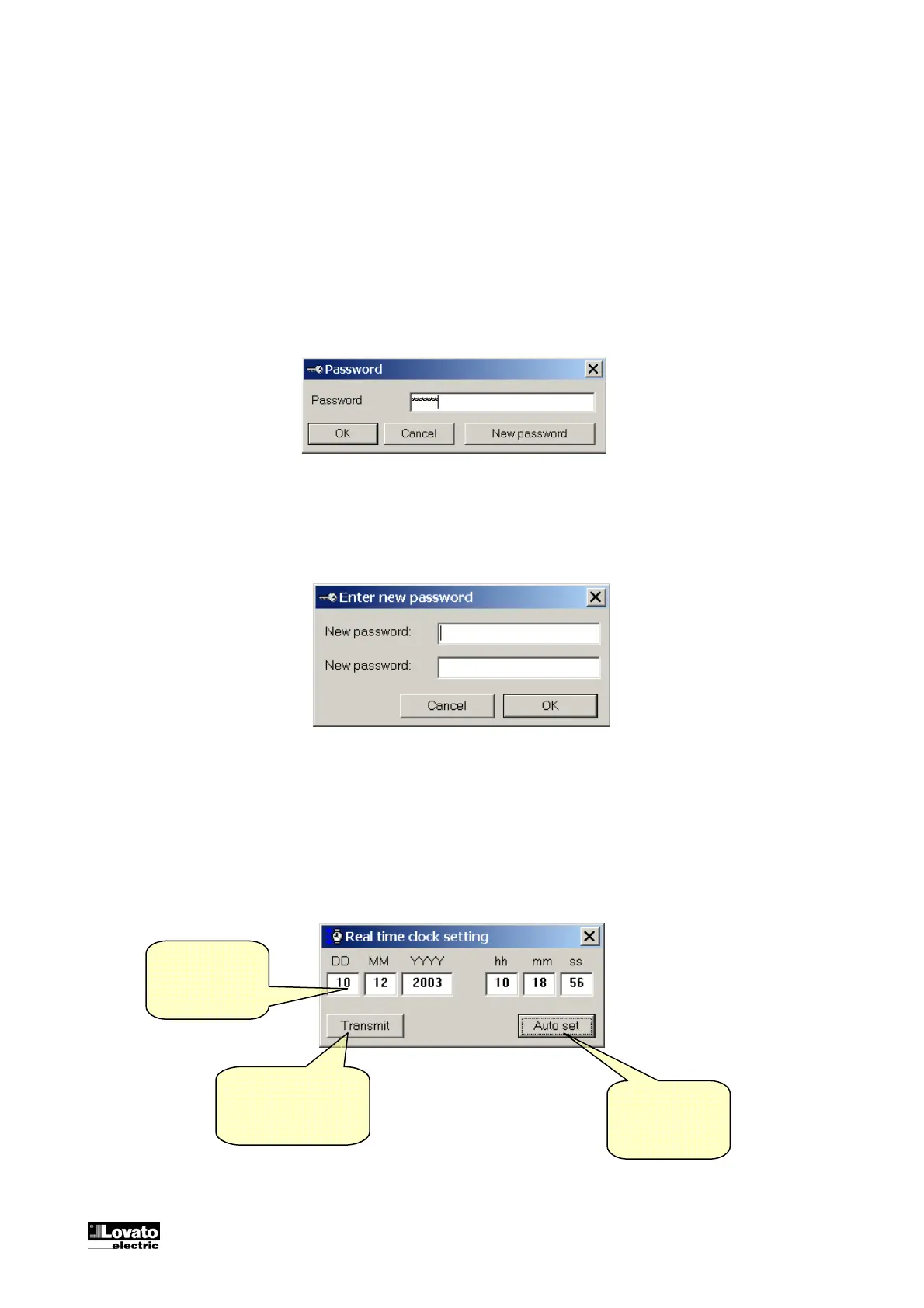
Password
After the first installation the password is LOVATO. Later, the user will be able to customize its password,
using the New Password button and then entering the new desired password two times.
New password
Real Time Clock setting
To view and set the RTC (real time clock) of the ATL, click on the dedicated icon on the toolbar. The
following window will be shown, allowing to check and eventually modify the clock setting.
Clicking here
will transmit the
current PC clock
to the ATL
Actual ATL
clock setting
Transmits the setting
previously manually
entered in the fields
above



 To Next Page