EAGLE
®
4x Quick Start Guide
English
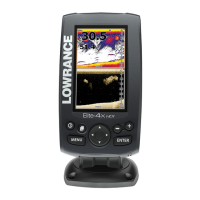
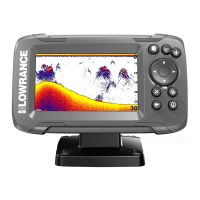
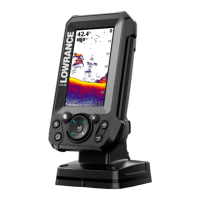
This document describes the basic controls of the Lowrance
®
Eagle
®
4x multi-function display.
For the latest version of this document and the full operator manual, visit: www.lowrance.com/downloads/eagle.
¼ Note: Refer to the enclosed Installation Manual before you turn on the unit.
Physical control keys
E
F
A Pages Press to cycle the pages.
B Menu Press once to display application settings.
C Power Press once to display the System Controls
dialog.
Press and hold to power the unit
ON/OFF.
Repeat short presses to cycle the backlight
brightness.
D Arrows Press to navigate menus.
E Enter Press to conrm a selection in a menu or
dialog.
F Zoom Press to zoom the image.
G Exit Press to return to the previous menu and to
exit a dialog.
System controls
Press the power key once to access
the System Controls dialog and:
• Power the unit ON/OFF
• Adjust Brightness
• Turn Night Mode ON/OFF
• Stop/start sonar.
System settings
You can access the system settings menu
from the bottom of the sonar and flasher
settings menus.
Sonar
The sonar application displays an image of
the water and seafloor beneath your vessel,
allowing you to detect sh and examine the
structure of the seafloor.
Use the zoom keys to view different parts
of the water column.
By default, your unit is set to Auto mode,
and the sonar app settings are automated.
Press the menu key to access the sonar
settings to customize.
Flasher
The flasher application shows a raw, live
sonar view commonly used in scenarios
such as ice shing and vertical jigging.
A Digital data
B Range scale
C Water column activity
D Depth
By default, your unit is set to Auto mode,
and the flasher app settings are automated.
Press the menu key to access the flasher
settings to customize.
©2024 Navico Group. All Rights Reserved. Navico Group is a division of Brunswick Corporation.
®Reg. U.S. Pat. & Tm. Off, and ™ common law marks. Visit www.navico.com/intellectual-property to review the global trademark rights and accreditations for Navico Group and other entities.
*988-13218-001*
Scan here
to save a copy

 Need help?
 General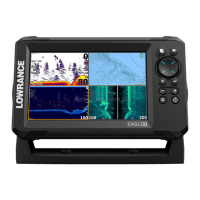


 To Next Page