40 |
AIS menu | Link-9 User Guide
3. The zoom range is automatically selected to the best range
according to the selected target on the left.
4. Press +/- button or rotate the CH knob to select the target, press
ENT key to display target information, or press X key to return to the
previous display.
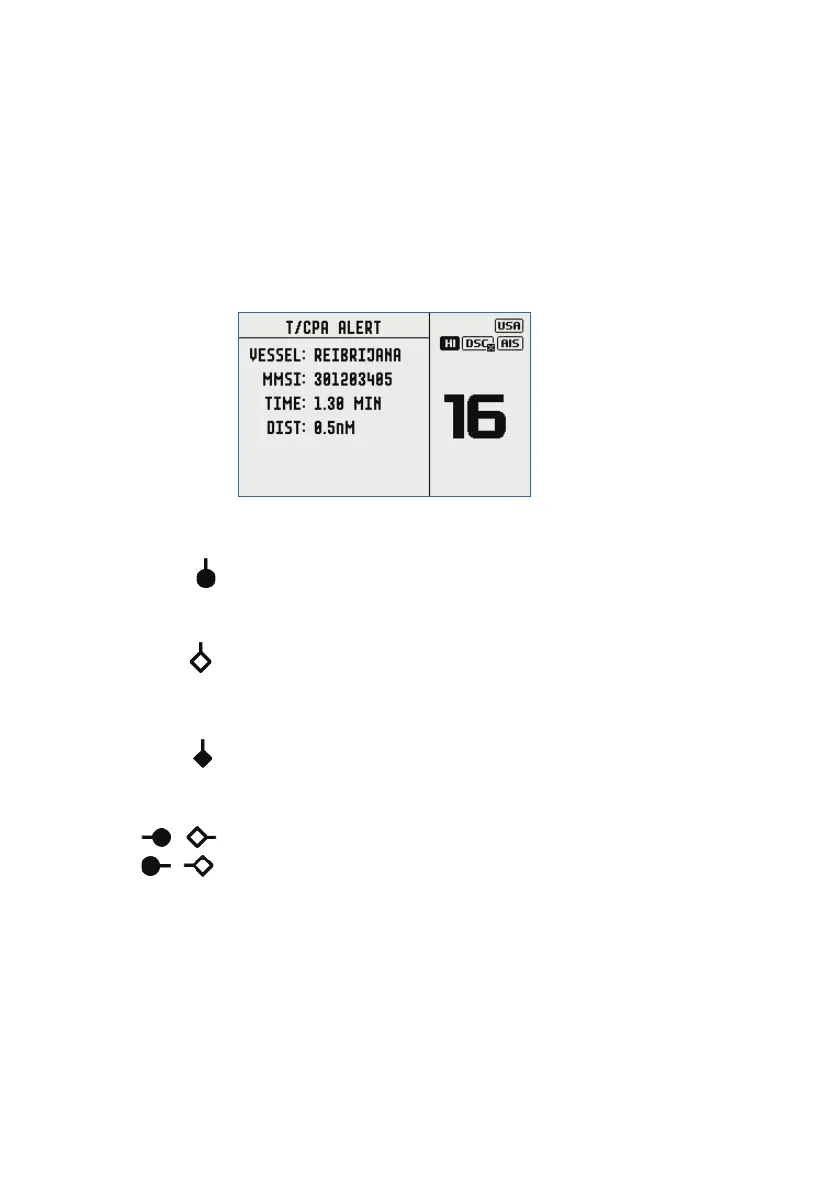
¼ Note: If the radio detects a TCPA or CPA breach, the T/CPA Approach
Alert screen will automatically pop up with an alert tone. Press X
to stop the alert. The alert will sound again after 1 minute if the AIS
alarm has not been resolved.
Plotter symbols and meanings
Your vessel is always in the center of the plotter screen. You are
represented by a solid circle, along with a small line that indicates
your bearing with respect to North.
All other vessels or targets displayed on the plotter screen are
represented by a diamond shape. These are targets around your
vessel that are within the current zoom distance setting. The small
line indicates the targets bearing.
When a target is selected, it is represented by a solid diamond.
Examples:
You and the target vessel are heading away from each other.
You and the target vessel are heading towards each other.
¼ Note: Nautical Miles is the only unit used in AIS mode.


 To Next Page