!
If fuses with the incorrect rating are used, this could result in damage to the entire electrical system.
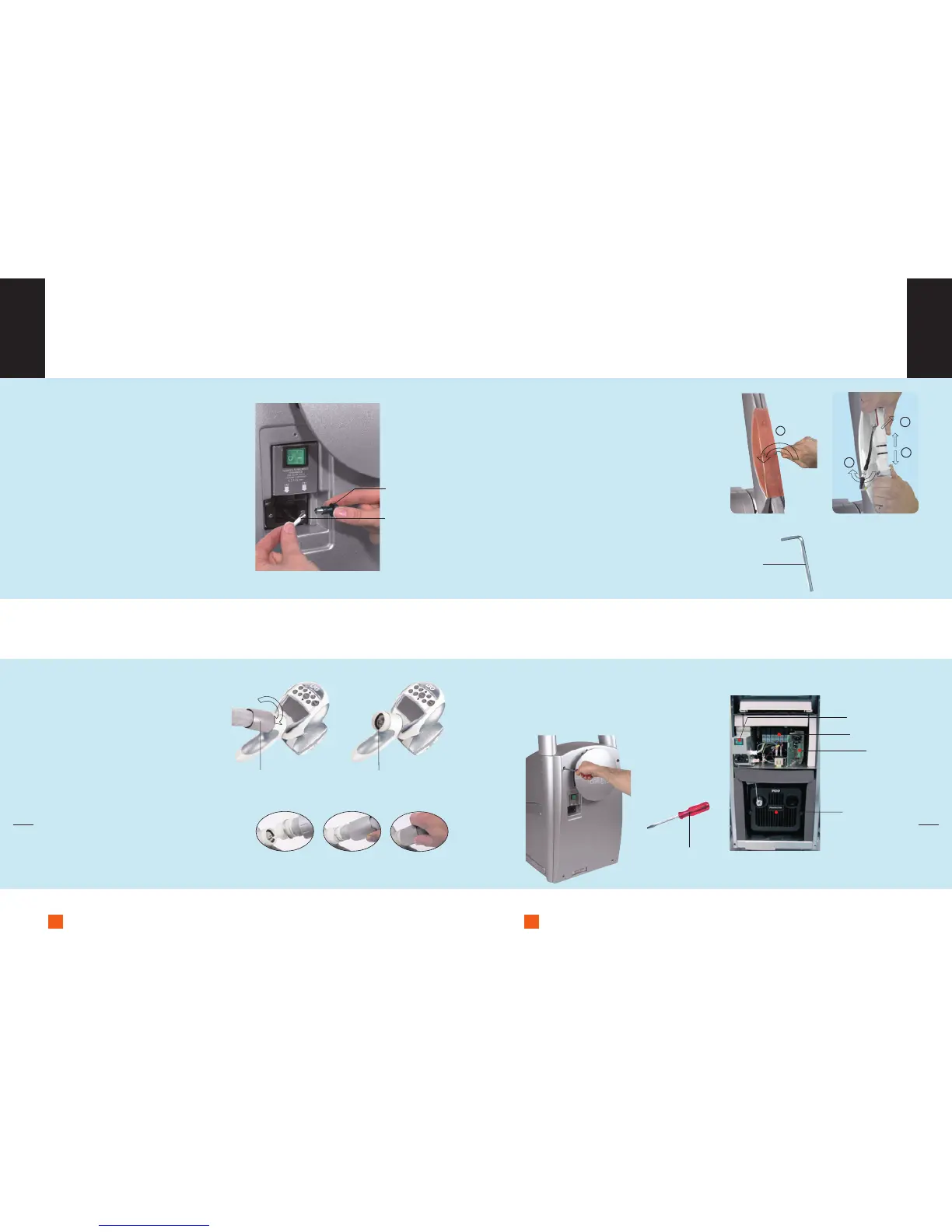
Replacing fuses
Your unit is protected against short-circuits
by 2 ceramic 6.3 mm x 32 mm time-delay
fuses.
Fuse replacement:
1. Disconnect the supply cable from
the mains.
2. Loosen one of the 2 fuse holders.
3. Remove the fuse.
4. Repeat the same operation for the
second fuse holder.
Remember to purchase new fuses from
LPG Systems Customer Services, so that
you always have a spare on hand.
Because of its rapid-fit twist connection,
the main treatment head can easily be
disconnected from its hose by loosening
the aluminium connection bush.
To connect the head, take hold of the hose
and proceed with its electrical connection
and then screw tight by tightening
the aluminium bush.
Disconnecting the treatment heads and
hoses is quick and easy.
1. Loosen the two screws and remove the
rear screen located on the mobile arm,
using the small, hex key.
2. Loosen and disconnect the electric
connection.
3. Remove the plastic connection from
its housing.
4. Disconnect the plastic connection.
Disconnect the supply cable.
Open the rear door to gain access to the tech-
nical elements using a screwdriver.
Only loosen the 4 fixing screws a quarter turn.
Instructions for
disconnecting the treatment heads (cont’d)
Instructions for
disconnecting the treatment heads
Access to the
technical items
!
Connection system identical for the two circuits.


 To Next Page