9
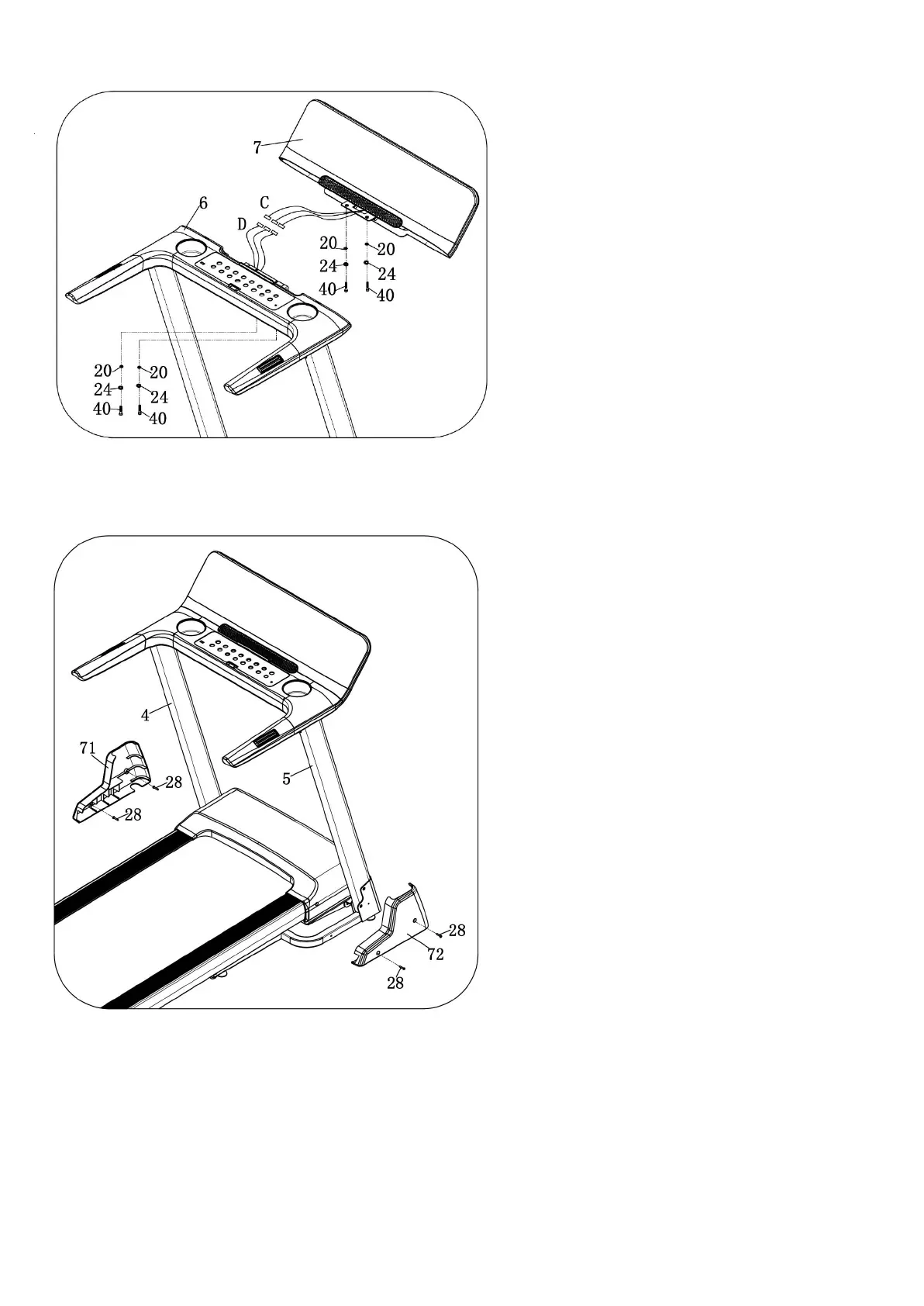
STEP 3:
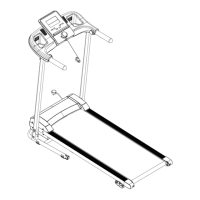
STEP 4:
1. Connect the communication lines C and D one
by one.
2. Then put the panel assembly (7) into console
board assembly (6) and lock the bolt (40), Spring
washer (24), Flat washer (20) into panel assembly
(7).
1. Lock all above bolt tightly in upright
and computer.
2. Use wrench with screwdriver (16), bolt
(28) to lock the left base cover (71)
into the base frame.
3. Right side is same as the left side.
Note: The base cover needs to be fastened to
the upright.


 To Next Page