Channel Setup
- 14 -
MXD70 Auxiliary mA Input
Setup and Operating Guide
Channel Setup
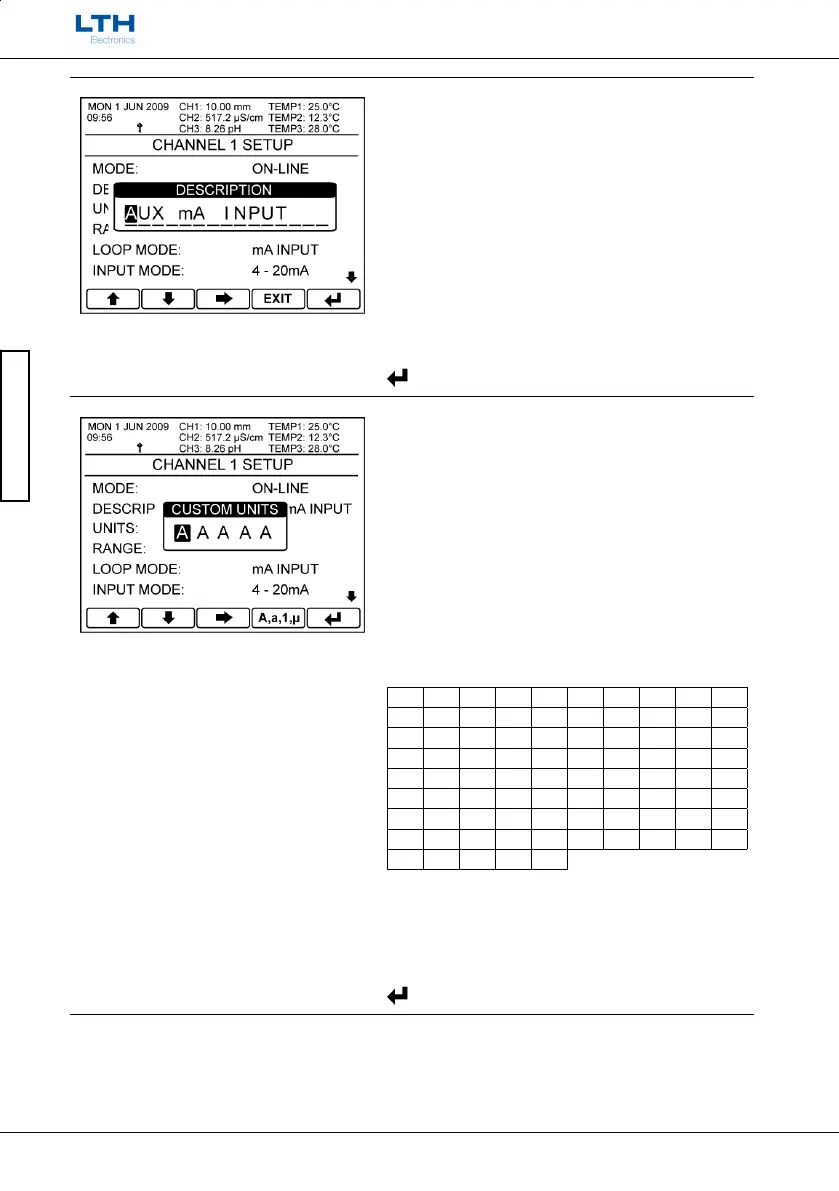
Description
Change the menu description of the Auxiliary mA
Input Card. Improves the ease of use throughout the
instrument.
Limited to 15 characters, though in some menus only
the first 5 characters will be displayed.
/ – Change Character
– Select Next Character
EXIT
– Cancel
– Save Selection
Units
Set the operating units of the scaled input using a
maximum of 5 characters.
Note: If you hold down the “A,a,1,“ Button for
approximately 5 seconds the unit will automatically
set the character to “blank”.
Only the first two characters of the units are
displayed in the menu header.
Available characters:
A B C D E F G H I J
K L M N O P Q R S T
U V W X Y Z a b c d
e f g h i j k l m n
o p q r s t u v w x
y z 1 2 3 4 5 6 7 8
9 0 # % ( ) + -
. / : = \ ^ Σ π º
± ² ³ β
/ – Change Character
– Select Next Character
A,a,1,μ
– Jump To Next Character Subset
– Save Selection



 To Next Page