Security Code Access
- 10 -
User Interface Guide
Access Code Management
The user can select their own access code in the access code management menu, or alternatively they
can disable the security system permanently by changing the access code to 0000.
Main Menu
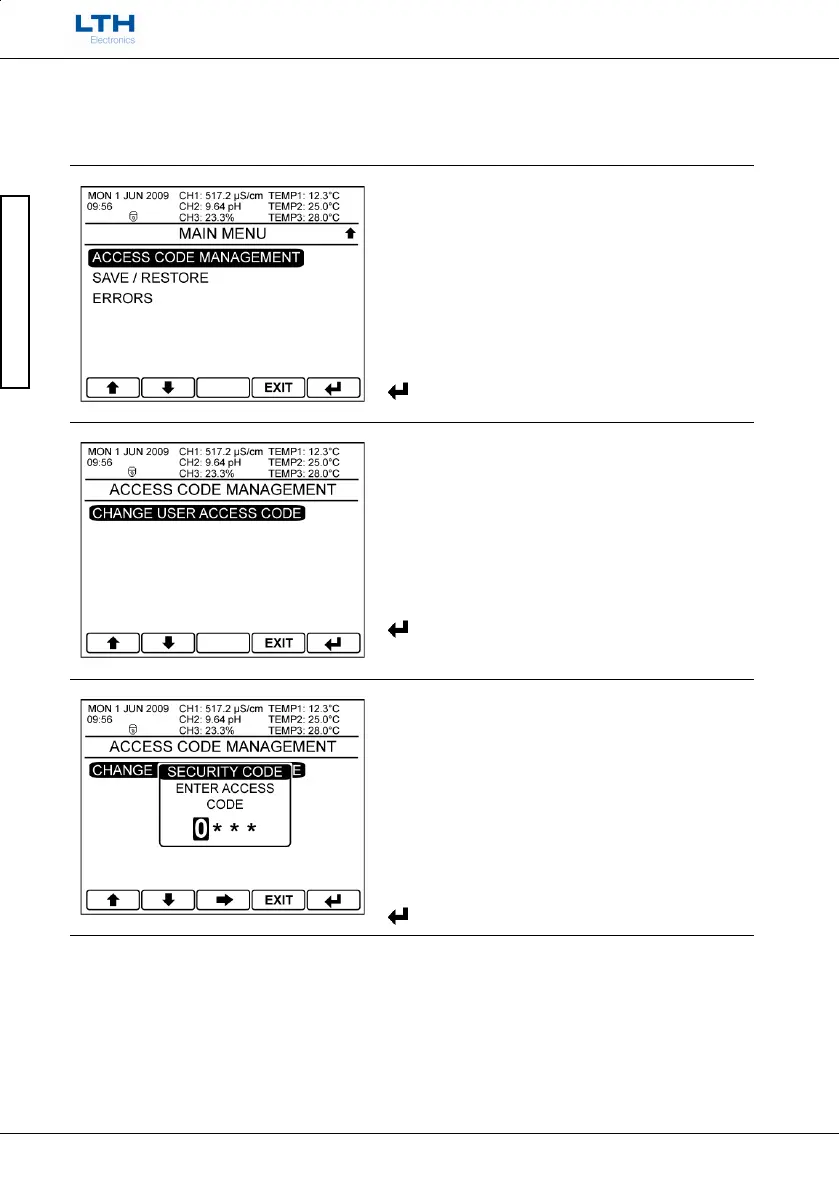
From the front screen press the menu button to
show the main menu options and select Access Code
Management.
Access Code Management
Select change user access code.
Enter Current Code
The user is required to enter the existing security
code before the new code can be entered.
– Increase / Decrease Digit



 To Next Page