
 Need help?
Do you have a question about the LTS LTN8916 and is the answer not in the manual?
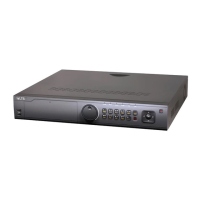
Overview of the NVR's front panel interface, status indicators, and control buttons.
Description of the various interfaces and connectors located on the rear panel of the NVR.
Procedures for safely powering on, shutting down, and rebooting the NVR.
Steps for setting the initial administrator password to activate the NVR.
Instructions on how to log in to and log out of the NVR system.
Detailed steps for activating, adding, and managing IP cameras connected to the NVR.
Overview of the live view function, displaying real-time video from cameras.
How to perform various operations within the live view mode, including screen display and recording.
Customizing live view settings such as output interface, dwell time, and audio.
Defining recording parameters like stream type, resolution, and encoding for optimal image quality.
Setting up schedules for automatic recording and capturing of video or images.
Setting motion detection parameters and configuring actions triggered by detected motion.
Configuring recording and capture actions based on alarm inputs from external devices.
Various methods for searching and playing back recorded video files, including instant, normal, and event search.
Additional playback features like frame-by-frame playback, digital zoom, and file management.
Procedures for exporting and backing up record files to external devices using quick or normal export methods.
Managing connected backup devices like USB drives, including formatting and creating folders.
Setting up a hot spare system for continuous operation in case of working device failure.
Configuring motion detection parameters, detection areas, sensitivity, and response actions.
Setting up handling actions for external sensor alarms, including trigger channels and arming schedules.
Configuring actions for various system exceptions like HDD errors, network disconnections, and illegal logins.
Defining how the system responds to alarms or exceptions, including event hints, full-screen monitoring, and notifications.
Setting up general network parameters like working mode, NIC type, IP address, and DNS server.
Configuring advanced network features such as PPPoE, PT Cloud, DDNS, NTP, SNMP, and HTTPS.
Monitoring real-time network traffic, checking connectivity, and exporting network packets.
Steps to initialize newly installed hard disk drives before they can be used by the NVR.
Adding and configuring network HDDs like NAS or IP SAN disks for expanded storage.
Monitoring the operational status of installed HDDs and performing detection tests.
Setting up alarms for HDD errors or abnormal status to ensure data integrity.
Customizing on-screen display settings for cameras, including date, time, and camera name.
Setting up privacy mask zones to block specific areas from view or recording.
Adjusting video parameters such as brightness, contrast, and hue for optimal image quality.
Accessing and reviewing the NVR's system information, including device details and firmware version.
Searching, viewing, and exporting system log files for event tracking and troubleshooting.
Procedures for upgrading the NVR firmware using local backup devices or FTP servers.
Resetting NVR parameters to factory default settings to resolve issues or reconfigure.
Configuring general NVR settings such as language, output standard, and resolution.
Creating, deleting, and editing user accounts with specific permissions for accessing the NVR.
Detailed technical specifications for the NVR models, covering hardware and software features.
Common issues and their solutions for troubleshooting NVR operation and connectivity problems.
A comprehensive list of IP cameras compatible with the NVR, including model and protocol information.
 General
| Video Input Type | BNC |
|---|---|
| Compression | H.265+/H.265/H.264+/H.264 |
| Operating Temperature | -10 °C to +55 °C (14 °F to 131 °F) |
| Video Input | 16 channels |
| Video Output | 1-ch HDMI, 1-ch VGA |
| Audio Output | 1 channel |
| Hard Drive Capacity | Up to 6TB |
| Network Interface | 1 RJ-45 10/100/1000Mbps self-adaptive Ethernet interface |
| USB Interface | 2 USB 2.0 |
| Power Supply | 12 VDC |







 To Next Page