16
│
LuCell (LU-3000)
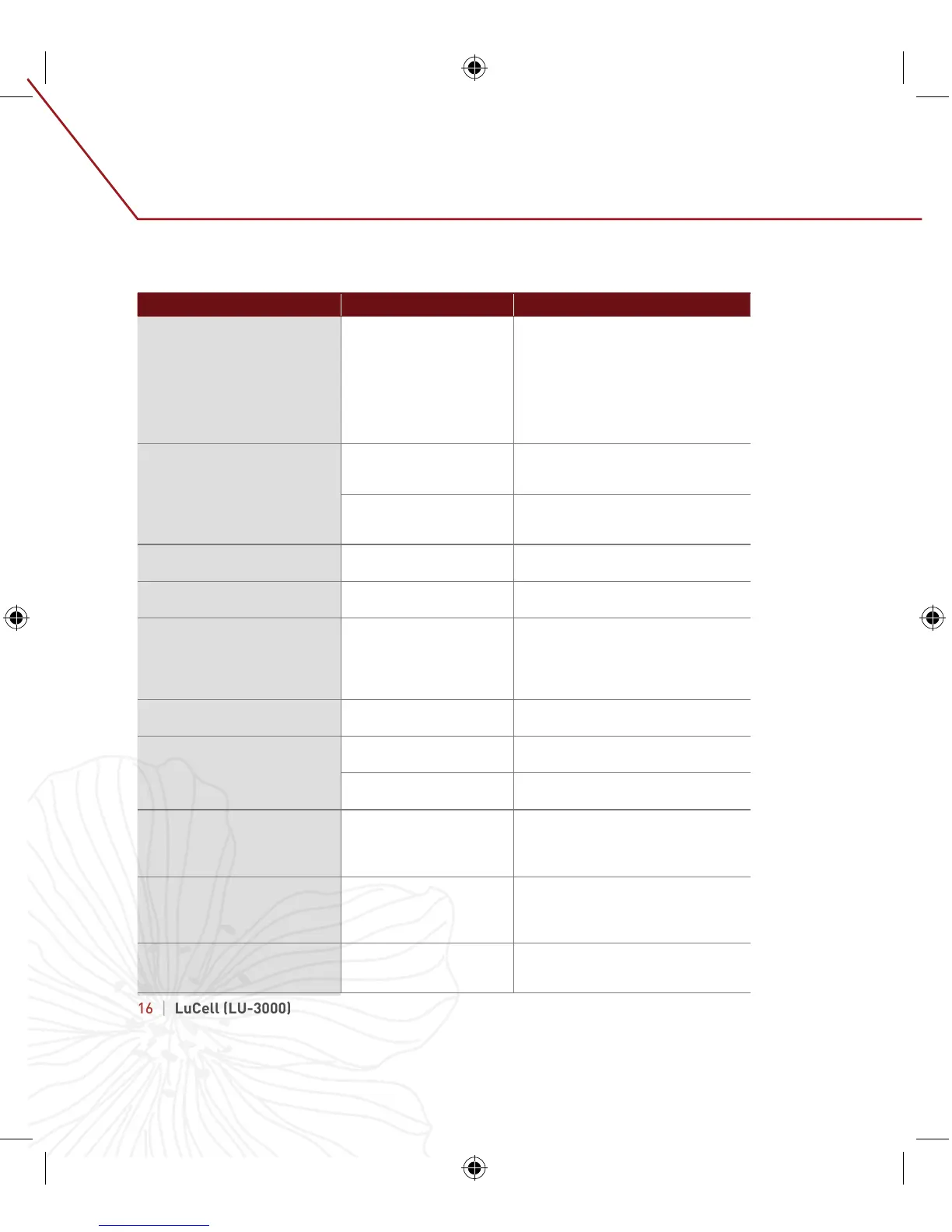
Situation Possible Cause Measures
No response when START button
pressed
•
l Dead battery
•
l Incorrect insertion of
batteries
•
l Keypad Lock mode ON
•
l Circuit error
•
l Replace new batteries
•
l Confirm correct insertion of
batteries
•
l Press START for 3 seconds to
deactivate Keypad Lock Mode
•
l Contact store where safe was
purchased.
Touch panel malfunctions
•
Pressed incorrect place
•
Panel touched by another
body part
•
Press correct place on panel
•
Avoid touching panel with another
body part
•
Foreign object on touch
panel
•
Foreign object in hand
•
Remove foreign object from touch
panel
•
Remove foreign object from hand
Safe not powered by adapter
•
Bad adapter jack
connection
•
Clean adapter jack and reconnect.
Safe not powered by battery
•
Check battery life
•
Bad battery connection
•
Replace with new battery
Cannot change password
•
Exceeded time limit
during password change
•
Wrong password or
incorrectly changed
•
Button problem
•
l Enter password within 5 seconds
•
Follow instructions
•
Contact store where safe was
purchased.
Forgotten password or lost key
•
Contact store where safe was
purchased.
"Err-03" message appears
•
l Incorrect password
•
l Enter correct password
Alarm continues ringing and safe
does not work
•
l 5 consecutive incorrect
password entered
•
l Enter correct password or wait 3
minutes until automatic alarm stops
Door does not open when "OPEN"
is displayed
l Low battery
Objects around door
l Lock equipment error
•
l Replace with new batteries
l Remove objects away from door
l Contact store where safe was
purchased.
Door does not automatically lock
after closing
Door is not completely
closed
Objects around door
Ensure door is completely closed
against safe body
Remove objects away from door
11.
Troubleshooting


 To Next Page