User Manual
│
5
※ Notice
- Battery is auxiliary power supply. Use adapter.
※
Replace battery immediately when:
• screen displays Lo-bAt with low voltage icon ( )
•numbers on touch button or LCD are blurry or repeatedly turn on and off..
•screen fails to turn on after you press START button.
•LCD malfunctions.
•system turns off immediately after entering password.
•safe door fails to open when “OPEn” message appears after password is entered.
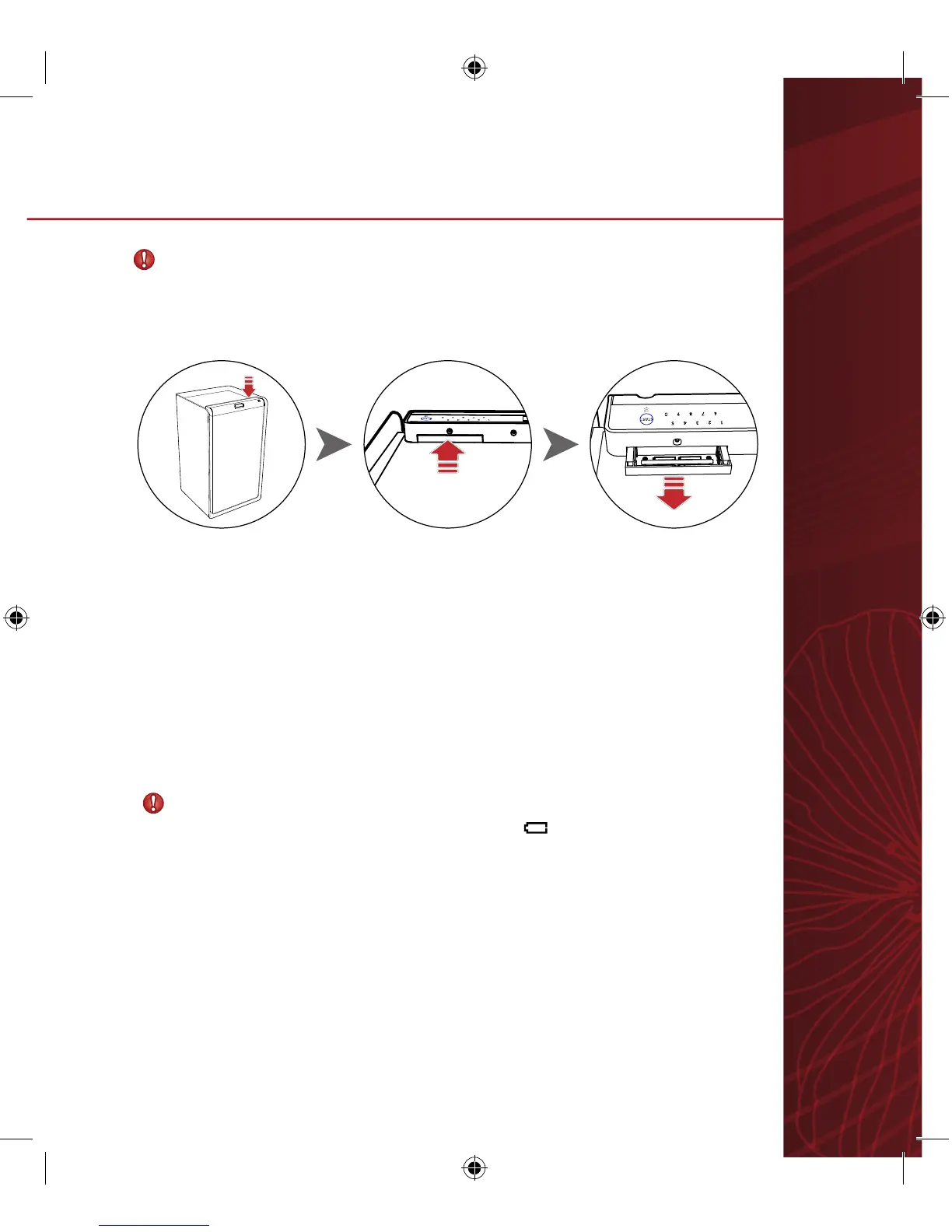
1. Battery compartment slightly pops out when gently pushed.
2. Pull battery compartment and insert new batteries. Use 1.5V alkaline batteries
(AA x 4).
3. Connection is confirmed when screen starts self-test, plays sounds, and displays
“good.”
4. Slide battery cover back until a click is heard.
3.
Inserting Batteries


 To Next Page