7
Software Installation/Setup
Hardware Driver
Your Lumenier
LUX
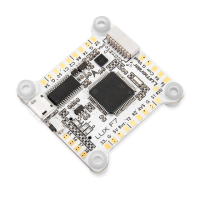
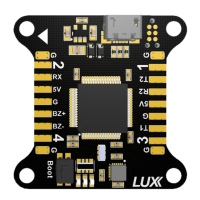
has a Micro-USB connector. Hold the “boot” button while plugging in.
Windows users:
• Download Zadig from
http://zadig.akeo.ie
• Open Zadig, choose Options > List All Devices
• Select STM32 Bootloader, WinUSB
• Click “replace driver” or “install driver”
Mac users:
Driver will install automatically
Linux users:
Driver will install automatically
Cleanflight Configurator
Cleanflight Configurator from the Google Web Store will be used to configure your Lumenier
LUX
board.
• Download:
http://chrome.google.com/webstore
Firmware Upgrade
Should Cleanflight Configurator stop working with your device, or your device becomes corrupted,
you can restore
LUX
to factory defaults with a standalone utility.
Windows users:
• Download:
http://www.lumenier.com/LUXFlash.zip
Drag & Drop your firmware .hex fie onto LUXFlash.exe.
Mac & Linux:
• “DFU Util” “dfu-util” from the command line.


 To Next Page