11|Page
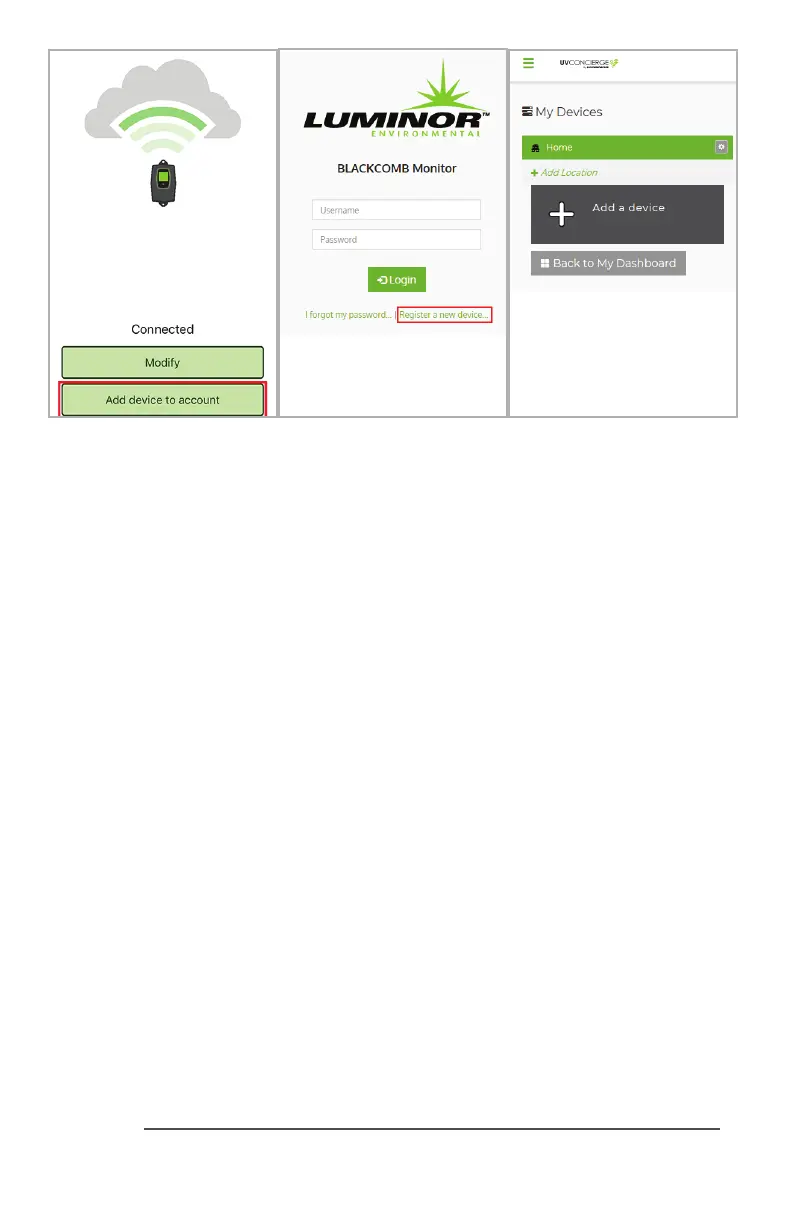
If you do not currently have a uvconcierge.com account: FromtheUVConciergeapp,click
“Adddevicetoaccount”.Thismethodwillautomacallypopulateyourmodulekeyforyou.
OR
Make note of the Module Key from the label on your UV Concierge module. Goto
uvconcierge.comandclickthe“Registeranewdevice”link.Youwillneedthemodulekeyto
successfullyregisteryourmodule.
If you currently have a uvconcierge.com account: FollowoneoftheabovetwooponsORlog
intoyouraccount,select(oradd,thenselect)thelocaonyou’dliketohavethedevice,thenclick
the“Addadevicebuon”.Youwillneedthemodulekeytosuccessfullyregisteryourmodule.
App Troubleshoong
The app does not nd my UV Concierge module
EnsureyouhavepluggedyourUVConciergemoduleintothepoweroutletusingtheincluded
poweradapter.
I’m stuck at “Waing for system to complete startup”
Youmustrestartyoursystembyunpluggingandplugginginthecontrollerpowercordaer
pluggingintheUVConciergemodule.OncethecontrollerdetectstheUVConciergemodule
andthestartuprouneisnished,youwillautomacallypassthissecon.Aerstartupis
complete,youcanpressandholdthecontrollerbuonfor3secondstoseewhatmodulesit
currentlydetects.IfthecontrollerisnotdetecngtheUVConciergemodule,checkyourIEP
connecons.Connectonemoduletothecontrolleratametotesteachmoduleindividually.
Withmulplemodules,theorderofthedaisychain(whichdeviceispluggedintowhich)does
notmaer.
I get a “Pairing Failed” error
Aertheappndsyourdevice,youmustenterinthe6numbersdisplayedonthecontroller
intoyourapp,includingleadingzeros.Ifyouaresllstuck,tryrestarngtheUVConcierge
modulebyunpluggingitandpluggingitbackin.TryrestarngyouriOS/Androiddevicealso.If
theissuepersists,trywithanotheriOSorAndroiddevice.


 To Next Page
 Loading...