1|Page
EMULATOR MODULE
MODEL # MOD-EMU
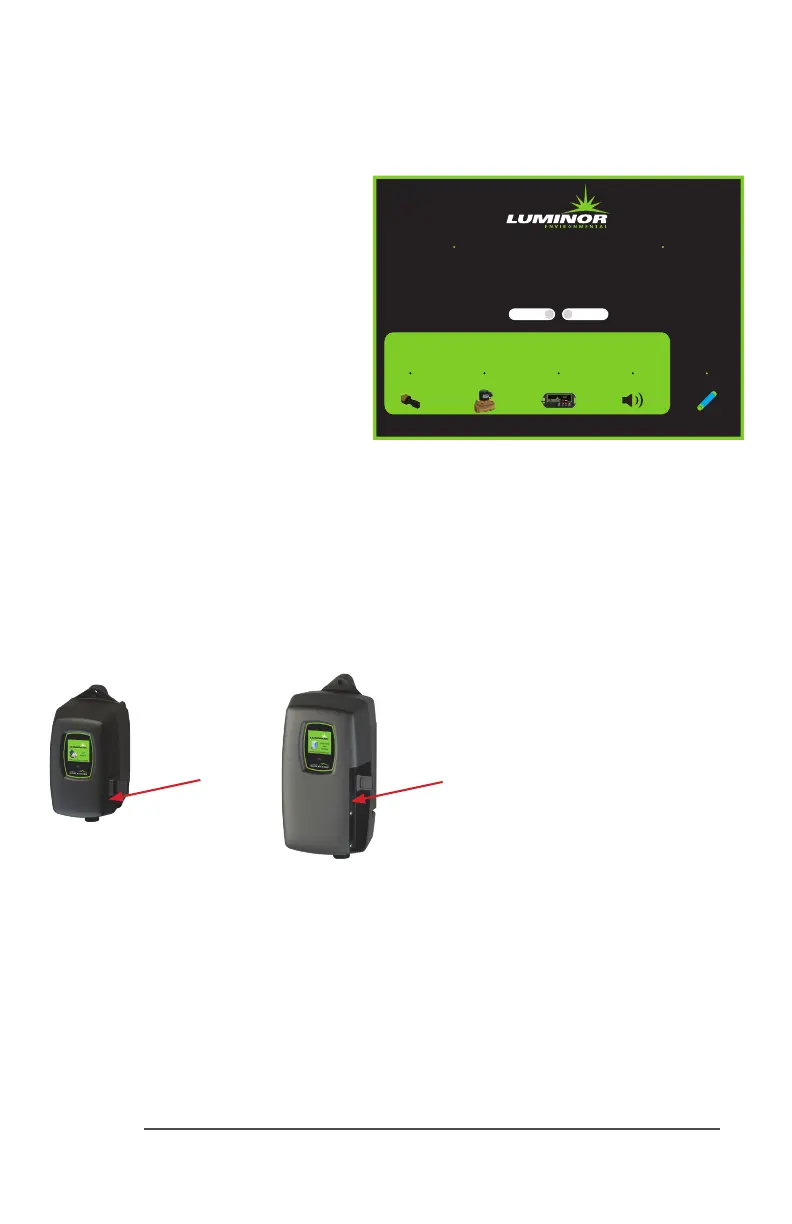
The Emulator module comes with a male
IEPconnecon(InniteExpandability
Port).Priortostart-up,rstensureallthe
toggleswitchesforthe“ModuleAlarms”
and“LampAlarm”areintheOFF(toggle
up)posion.PlugtheEmulatorconnector
intotheIEPontheBLACKCOMB/HO
controller,thenpluginthecontroller
powercord.
ToEmulateaparcularmodulefailure,
togglethecorrespondingswitchtothe
ON(toggledown)posion.Thealarm
can be cleared by returning the switch to
itsOFF(toggleup)posion.Thedevice
alsocanemulatetheUVintensityreportedbyaUVsensormodule.Turningtheright“UV”
knobintheclockwisedireconwillincreasetheintensity,whileturningitcounterclockwisewill
decreasetheintensity.Pleasenotethattoseeallthecapabiliesofthesensor,youwillneed
tocycletheintensitythroughtherangeof49through66%.The“DaysRemaining”cyclecan
alsobeadjustedbyturningthele“Days”knob.Theemulatormodulemustonlybesupplied
atSELV.
*Fordealeruseonly.Notavailableforsaletogeneralpublic.
Emulation Module
Module Alarms
Closed Open
Days UV
Sensor Solenoid 4-20 LampRemote Alarm
Solenoid Status
MOD-EMU
BLACKCOMB
Controller
BLACKCOMB-HO
Controller
IEP
connecon
IEP
connecon



 To Next Page