EasyManua.ls Logo

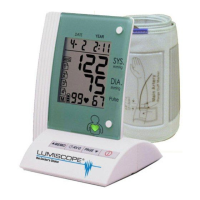
Lumiscope 1100 - User Manual

Lumiscope 1100
9 pages
Print Icon
To Next Page IconTo Next Page
Loading...
1
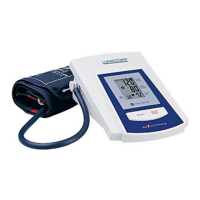
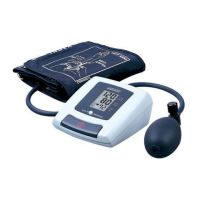
SEMI AUTOMATIC UPPER ARM
Blood Pressure Monitor
y
Model 1100
Features:
• Semi-Automatic
• Easy-to-read Display
• 60 Automatic Memories
• Beeping Reminder
Table of Contents:
Introduction....................................... 2
Name/Function of Each Part............... 2
Preliminary Remarks ...........................3
About Blood Pressure..........................3
Blood Pressure Standard.....................3
Blood Pressure Fluctuation..................4
Display Explanations ...........................4
Installing Batteries..............................4
Applying the Cuff.................................5
Taking a Measurement ........................6
Recalling Memory................................7
Helpful Tips.........................................7
Troubleshooting...................................7
Cautionary Notes.................................8
Specifications .....................................8

Questions and Answers

Lumiscope 1100 Specifications

General IconGeneral
TypeUpper Arm
Measurement MethodOscillometric
DisplayLCD
Power Source4 x AA batteries
Memory FunctionYes
Cuff Size22-32cm
Measurement Range (Pressure)0-280 mmHg
Memory60 readings
Automatic Shut-offYes
Irregular Heartbeat DetectionYes
WHO IndicatorYes
Accuracy (Pressure)±3 mmHg
Accuracy (Pulse)±5%

Summary

Introduction

Name;Function of Each Part

Identifies and explains the components of the blood pressure monitor and its accessories.

About Blood Pressure

What is Blood Pressure?

Defines blood pressure as the pressure exerted on artery walls during heart contraction and dilation.

Why Measure Your Blood Pressure?

Highlights the importance of monitoring blood pressure due to its strong link with cardiovascular disease.

Blood Pressure Standard

Presents general guidelines for blood pressure classification from WHO and other bodies.

Blood Pressure Fluctuation

Display Explanation

Icons

Explains the meaning of various symbols and icons shown on the monitor's display.

Installing Battery

Applying the Arm Cuff

Taking a Measurement

Recalling Memory

Helpful Tips

Troubleshooting

Cautionary Notes

Specifications

Two-Year Limited Warranty

Related product manuals