EasyManua.ls Logo

Lumiscope 1130 - User Manual

Lumiscope 1130
9 pages
Print Icon
To Next Page IconTo Next Page
Loading...
1
Model 1130
Table of Contents:
Introduction............................................. 2
Name/Function of Each Part.................... 2
Real Fuzzy Technology .............................3
Preliminary Remarks ................................3
About Blood Pressure ...............................3
Blood Pressure Standard ..........................3
Blood Pressure Fluctuation.......................4
Display Explanation ..................................4
Installing Battery ......................................4
Applying the Cuff......................................5
Taking a Measurement.............................6
Recalling Memory ....................................6
Helpful Tips ..............................................7
Troubleshooting........................................7
Cautionary Notes......................................8
Specifications...........................................8
Features:
• Real Fuzzy Technology
Automatic 60 sets of memory
• One-Touch Operation
• Easy-to-read Display
R
e
a
l F
u
z
z
y
t
e
c
h
n
o
lo
g
y
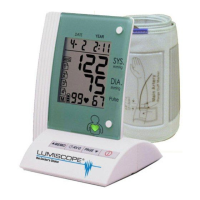
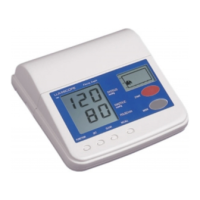
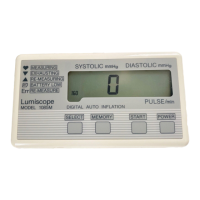
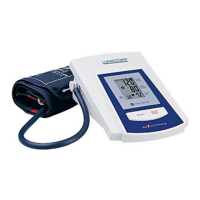
AUTOMATIC UPPER ARM
Blood Pressure Monitor

Questions and Answers

  • A
    Adam MoralesJul 29, 2025
    What to do if Lumiscope 1130 shows EE mark?
    • H
      henrysmithJul 29, 2025
      If the Lumiscope Blood Pressure Monitor displays 'EE' or shows blood pressure values that seem excessively low or high, make sure the cuff is correctly placed. Wrap the cuff properly to ensure correct positioning. Also, remain still and quiet during the measurement; talking or moving can interfere with readings. Measure again quietly.
  • D
    Dr. Michael HickmanAug 14, 2025
    Why Lumiscope 1130 Blood Pressure Monitor has no display?
    • T
      Thomas FloresAug 14, 2025
      If your Lumiscope Blood Pressure Monitor's screen remains blank when you press the ON/OFF/START button, the batteries may be depleted. Replace them with two new alkaline batteries. Alternatively, the batteries might be incorrectly positioned. Ensure they are re-inserted with the correct polarities.

Summary

Introduction to Lumiscope Monitor

Lumiscope Model 1130 Parts Identification

Identifies and labels all physical components of the Lumiscope Model 1130 blood pressure monitor.

Lumiscope Real Fuzzy Technology Explained

Understanding Blood Pressure Basics

Explains what blood pressure is and why regular measurement is important for health.

Blood Pressure Measurement Standards

Details the World Health Organization (WHO) standards for classifying blood pressure levels.

Blood Pressure Fluctuation Insights

Interpreting Display Icons and Readings

Provides a guide to understanding the various icons and readings displayed on the monitor.

Installing and Replacing Batteries

Applying the Arm Cuff Correctly

Performing a Blood Pressure Measurement

Recalling Stored Measurement Data

Tips for Accurate Blood Pressure Readings

Troubleshooting Common Issues

Important Safety and Cautionary Notes

Lumiscope Product Specifications

Lumiscope Two-Year Limited Warranty

Lumiscope 1130 Specifications

General IconGeneral
ModelLumiscope 1130
CategoryBlood Pressure Monitor
TypeDigital
Measurement MethodOscillometric
DisplayLCD
Memory60 readings
Pressure Range0-300 mmHg
Pulse Rate Range40-199 beats per minute
Cuff SizeAdult
Power Source4 AA batteries

Related product manuals