EasyManua.ls Logo

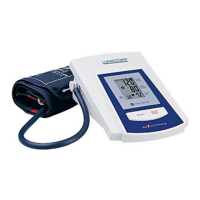
Lumiscope 1133 - User Manual

Lumiscope 1133
48 pages
Print Icon
To Next Page IconTo Next Page
Loading...
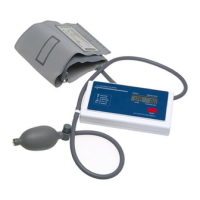
UPPER ARM AUTOMATIC
DIGITAL BLOOD PRESSURE MONITOR
MODEL 1133
INSTRUCTION MANUAL
&
BLOOD PRESSURE RECORD LOG
1133-INS-LAB-RevB10
Read and understand these instructions before using the Lumiscope Blood Pressure
Monitor. Keep these instructions for future use.
Note: The most current version of these instructions can be found online at www.grahamfield.com

Table of Contents

Other manuals for Lumiscope 1133

Questions and Answers

  • A
    Amy MartinJul 26, 2025
    How to protect Lumiscope 1133 from damage?
    • Y
      ymillerJul 26, 2025
      To prevent damage to your Lumiscope Blood Pressure Monitor from extreme conditions, store it properly. Avoid exposure to high temperatures, direct sunlight, high humidity, and dusty environments.
  • H
    Henry BaileyJul 30, 2025
    How to clean Lumiscope Blood Pressure Monitor?
    • M
      michael69Jul 30, 2025
      To clean your Lumiscope Blood Pressure Monitor without causing damage, use a cloth moistened with water or a neutral detergent to wipe the unit's body. Afterwards, ensure you wipe it dry.
  • S
    Scott ReevesAug 3, 2025
    Why can't I use harsh cleaners on my Lumiscope 1133?
    • J
      Jason WilsonAug 3, 2025
      Avoid using thinner, benzene, or other harsh cleaners on your Lumiscope Blood Pressure Monitor, as they can cause damage.
  • R
    Raymond HoffmanAug 7, 2025
    Why is modification of Lumiscope 1133 Blood Pressure Monitor prohibited?
    • M
      Michelle GarrettAug 7, 2025
      To maintain the integrity of your Lumiscope Blood Pressure Monitor, do not modify or disassemble the unit or the arm cuff.
  • A
    Alexander RamirezAug 12, 2025
    Why Lumiscope 1133 Blood Pressure Monitor won't turn on?
    • E
      Elizabeth TurnerAug 12, 2025
      If your Lumiscope Blood Pressure Monitor isn't displaying anything when you press the power button, there are a few potential causes. First, check that the batteries are installed with the correct polarities. If they are not, install the batteries in the correct position. Second, the batteries may be old and need replacing; try replacing them with new ones. Finally, the battery contacts might be corroded. Clean the battery terminals with a dry cloth to ensure a good connection.
  • E
    Edward JonesAug 16, 2025
    What to do if Lumiscope 1133 reading is too high or low?
    • S
      Sandra AnthonyAug 16, 2025
      If your Lumiscope Blood Pressure Monitor gives an extremely low or high reading, several factors could be the cause. First, make sure that the cuff is wrapped correctly. Second, ensure the cuff is positioned at the same level as your heart and that your posture is correct. Also, avoid straining your arm or hand during measurement; relax during the measurement. Finally, keep quiet and still; avoid talking or moving your arm or hand during measurement.
  • T
    Tony PhillipsAug 21, 2025
    Why is my pulse rate too high on Lumiscope Blood Pressure Monitor?
    • K
      kimberly42Aug 21, 2025
      If your Lumiscope Blood Pressure Monitor shows a pulse rate that is too low or too high, it could be due to a couple of reasons. Ensure you keep quiet and still during the measurement, avoiding any talking or movement of your arm or hand. Also, if you have just exercised, wait for at least 5 minutes before taking the measurement again, allowing your pulse rate to stabilize.

Summary

1 INTRODUCTION

Safety Warnings

Important safety warnings and precautions for using the blood pressure monitor.

2 SYMBOLS

Parts and Components

Identifies and lists all parts of the blood pressure monitor.

Device Symbols

Explains the meaning of various symbols found on the device and packaging.

3 GENERAL

Intended Use

Defines the purpose and target users for the blood pressure monitor.

Principle of Operation

Explains the oscillometric technology and fuzzy algorithm used for measurement.

4 TIPS ON TAKING BLOOD PRESSURE MEASUREMENT

Measurement Tips and Factors

Guidance on factors affecting BP and preparation for measurement.

5 BATTERY INSTALLATION

Battery Installation and Care

Instructions for inserting, replacing, and caring for batteries.

6 USING THE DEVICE WITH THE INCLUDED AC POWER ADAPTER

AC Power Adapter Usage

Details on using the AC power adapter as an alternative power source.

7 SETTING THE DATE AND TIME

Setting Date and Time

Step-by-step guide to accurately set the date and time on the device.

8 CORRECT POSTURE FOR MEASUREMENT

Correct Posture for Measurement

Detailed instructions on sitting posture and arm placement for accurate readings.

9 ASSEMBLING AND APPLYING THE CUFF

Assembling and Applying the Cuff

Guide on how to correctly assemble and apply the blood pressure cuff to the arm.

10 TAKING A MEASUREMENT

Measurement Process

Step-by-step guide on how to perform a blood pressure measurement.

Automatic Inflation and Rapid Deflation

Details on automatic inflation levels and rapid deflation function.

11 MEMORY FUNCTION

Memory Recall

Instructions on how to retrieve past blood pressure readings from memory.

Deleting Memory

Procedure for clearing stored blood pressure readings from the device's memory.

12 WHO BLOOD PRESSURE CLASSIFICATION

WHO Blood Pressure Classification

Explanation of WHO blood pressure classifications and how the device indicates them.

13 ERROR AND LOW BATTERY INFORMATION

Error and Low Battery Information

Guidance on common error indications and low battery alerts.

14 CARE, STORAGE, REPAIR AND RECYCLING

Care, Storage, Repair, and Recycling

Instructions for cleaning, storing, and responsibly disposing of the device.

15 TROUBLESHOOTING

Troubleshooting

Addresses common symptoms and provides corresponding remedies for troubleshooting.

16 SPECIFICATIONS

Specifications

Lists the technical details, ranges, accuracy, and components of the device.

17 TWO-YEAR LIMITED WARRANTY

Two-Year Limited Warranty

Details the warranty period, coverage, exclusions, and how to obtain service.

18 BLOOD PRESSURE RECORD LOG

Blood Pressure Record Log

Provides blank tables to log blood pressure and pulse readings over time.

Lumiscope 1133 Specifications

General IconGeneral
Mean arterial pressureYes

Related product manuals