EasyManua.ls Logo

Lumiscope 1140 - User Manual

Lumiscope 1140
31 pages
Print Icon
To Next Page IconTo Next Page
Loading...
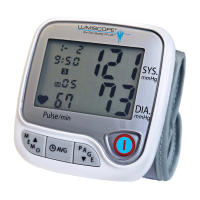
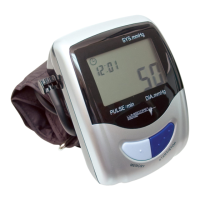
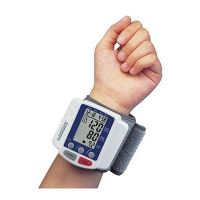
Model 1140
Automatic Wrist Style
Blood Pressure Monitor

Other manuals for Lumiscope 1140

Questions and Answers

  • B
    benjamin10Jul 30, 2025
    How to fix Lumiscope 1140 Blood Pressure Monitor with no display?
    • T
      Teresa StoutJul 30, 2025
      If your Lumiscope Blood Pressure Monitor shows no display when you press the START key, the batteries may have run down. Replace them with two new alkaline batteries. Also, check if the batteries are positioned incorrectly; re-insert them in the correct positions.
  • J
    Joshua BrownAug 7, 2025
    What to do if Lumiscope 1140 Blood Pressure Monitor shows EE mark?
    • V
      Victoria WilliamsAug 7, 2025
      If your Lumiscope Blood Pressure Monitor displays an 'EE' mark or shows blood pressure values that seem excessively low or high, make sure the cuff is placed correctly. Wrap the cuff properly so that it is positioned correctly. Also, avoid talking or moving during the measurement; measure again quietly. If you shook your wrist with the cuff on, take another measurement.
  • R
    Robin ConwayAug 14, 2025
    What to do if Lumiscope Blood Pressure Monitor displays EE mark or incorrect blood pressure?
    • M
      Mary KingAug 14, 2025
      If the Lumiscope Blood Pressure Monitor displays 'EE' or shows blood pressure values that seem excessively low or high, first ensure the cuff is wrapped correctly and positioned properly. If the issue persists, avoid talking or moving during the measurement and try again quietly.
  • E
    Eugene RodriguezAug 22, 2025
    Why Lumiscope 1140 Blood Pressure Monitor has no display when pressing START?
    • K
      Kristine SotoAug 22, 2025
      If your Lumiscope Blood Pressure Monitor's display doesn't turn on when you press the START key, the batteries may be depleted. Replace them with two new alkaline batteries. Also, check if the batteries are inserted with the correct polarities. If not, re-insert them in the correct positions.

Summary

Quick Reference

Install Batteries

Step-by-step guide for installing batteries.

Apply Cuff

Instructions on correctly applying the wrist cuff.

Correct Measuring Posture

Guidance on maintaining proper posture during measurement.

Device Power On

Steps to turn on the blood pressure monitor.

Quick Reference Operation

Start Measurement

How to initiate a blood pressure measurement.

Store Memory Data

Process for saving measurement results to memory.

Recall Memory Data

Method for retrieving stored measurement data.

How the 1140 Works

Device Components

Monitor Parts Overview

Identification and function of monitor's main parts.

Understanding the Display

LCD Display Layout

Explanation of the elements shown on the LCD screen.

Display Symbols Explained

Descriptions of various symbols appearing on the display.

Battery Installation

Battery Replacement Indicators

Signs that indicate the need to replace batteries.

Applying the Cuff

Preparation for Cuff Application

Steps to prepare the wrist and clothing before cuff application.

Cuff Placement on Wrist

Guidance on positioning the cuff correctly on the wrist.

Cuff Edge Positioning

Ensuring the cuff edge is at the correct distance from the palm.

Securing the Cuff

Fastening the cuff securely for accurate measurements.

Cuff Application Details

Loose Cuff Impact

Explanation of how a loose cuff affects measurement accuracy.

Cuff Orientation

Information on cuff placement orientation, including askew.

Right Wrist Usage

Instructions for using the right wrist if the left has poor circulation.

Correct Measuring Posture

Posture Avoidance

Step Valve Technology

Helpful Tips for Accurate Readings

Measurement Procedure

Measurement Procedure Notes

Memory Functions

Memory Data Retrieval

Time Adjustment

Time Adjustment Completion

Troubleshooting

Common Issues and Solutions

A table listing symptoms, check points, and corrections for common problems.

Safety and Precautions

Product Specifications

Lumiscope 1140 Specifications

General IconGeneral
BrandLumiscope
Model1140
CategoryBlood Pressure Monitor
LanguageEnglish

Related product manuals