13
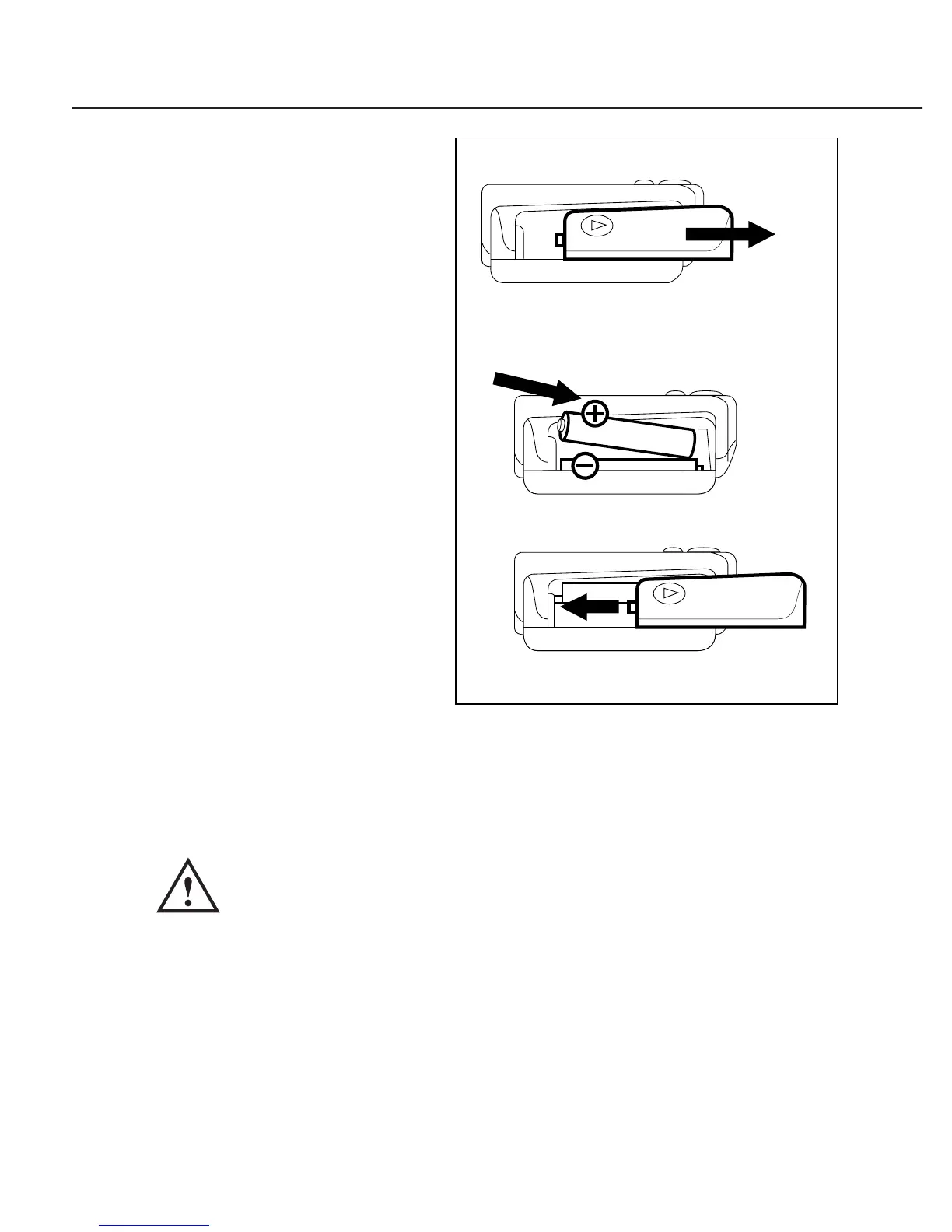
Installing Batteries
1. Slide battery cover off.
2. Install lower battery first.
Ensure correct polarity.
Battery Type:
2 Alkaline ‘AAA’ size
3. Replace the cover.
Replace the batteries if:
1. The weak battery mark
appears in the display
2. Nothing appears in the
display when the power is
switched on.
Remove batteries when unit is not in use for extended
periods of time.
Note: Batteries are hazardous waste.
Do not dispose together with
household garbage.


 To Next Page
 Loading...