19
15 TROUBLESHOOTING
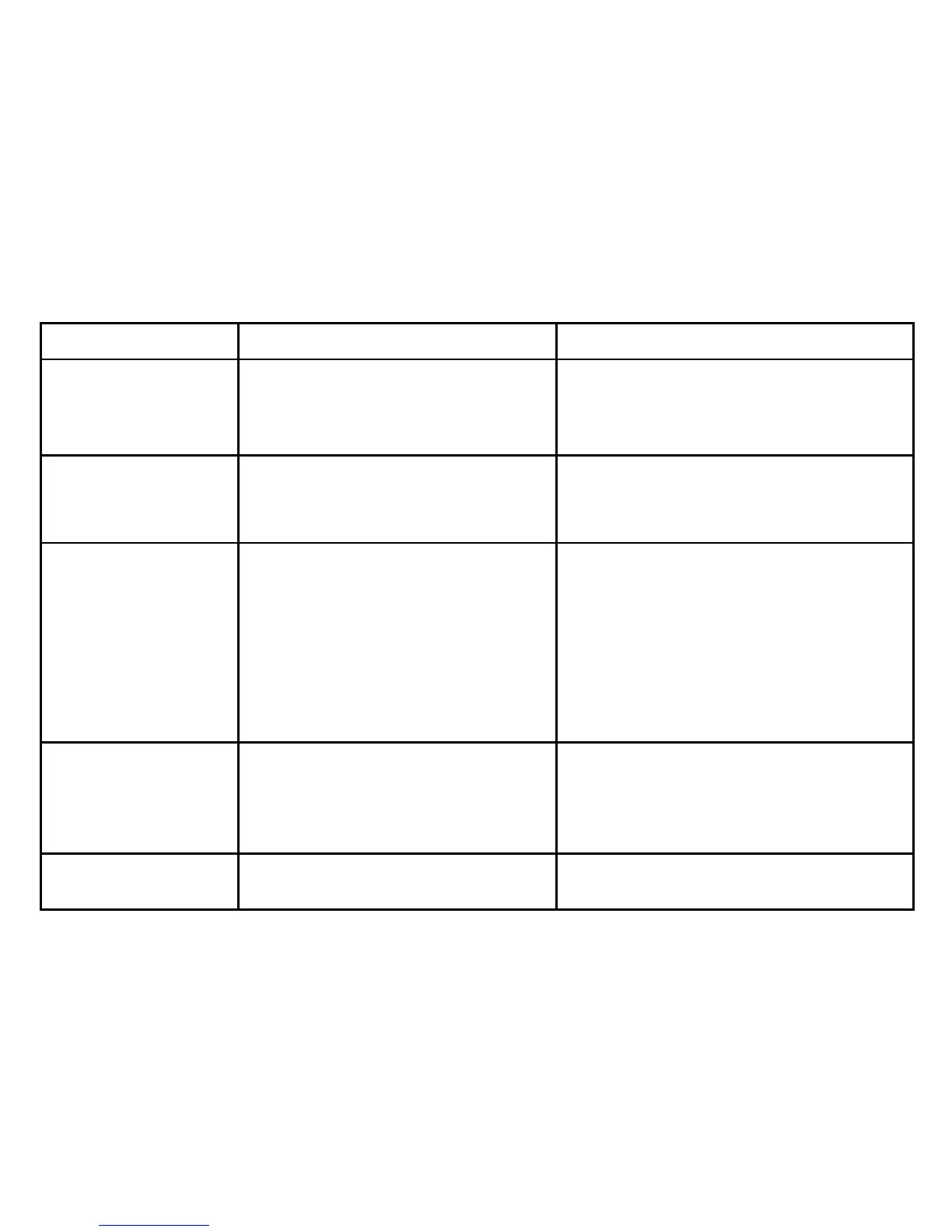
SYMPTOM CHECK POINT REMEDY
No display when button “O/I”
is pressed
The batteries need to be replaced
Battery polarities are incorrectly positioned
The battery contacts are corroded
Replace the batteries with new ones
Install the batteries in correct position
Clean the battery terminals with a dry cloth
Inflation stops then starts
again
See <TAKING A MEASUREMENT/Automatic Inflation>
Did you talk or move your arm (or hand) during
measurement?
See <TAKING A MEASUREMENT/Automatic Inflation>
Keep quiet and still during the measurement
The reading is extremely low
or high
Ensure the cuff is positioned at the same level
as the heart
Is the cuff wrapped correctly?
Did you strain your arm (or hand) during
measurement?
Did you talk or move your arm (or hand) during
measurement?
Ensure your posture is correct
Ensure the cuff is wrapped correctly
Relax during measurement
Keep quiet and still during the measurement
Pulse rate is too low or too
high
Did you talk or move your arm (or hand) during
measurement?
Did you take your measurement right after
exercise?
Keep quiet and still during the measurement
Take measurement again after resting for at least 5
minutes
The batteries wear out too
quickly
Faulty batteries used Suggestion: Use alkaline batteries of known
manufacturers


 To Next Page
 Loading...