Acuity LS Page 10
Operating Manual #OMA20200327
Operating the User Interface
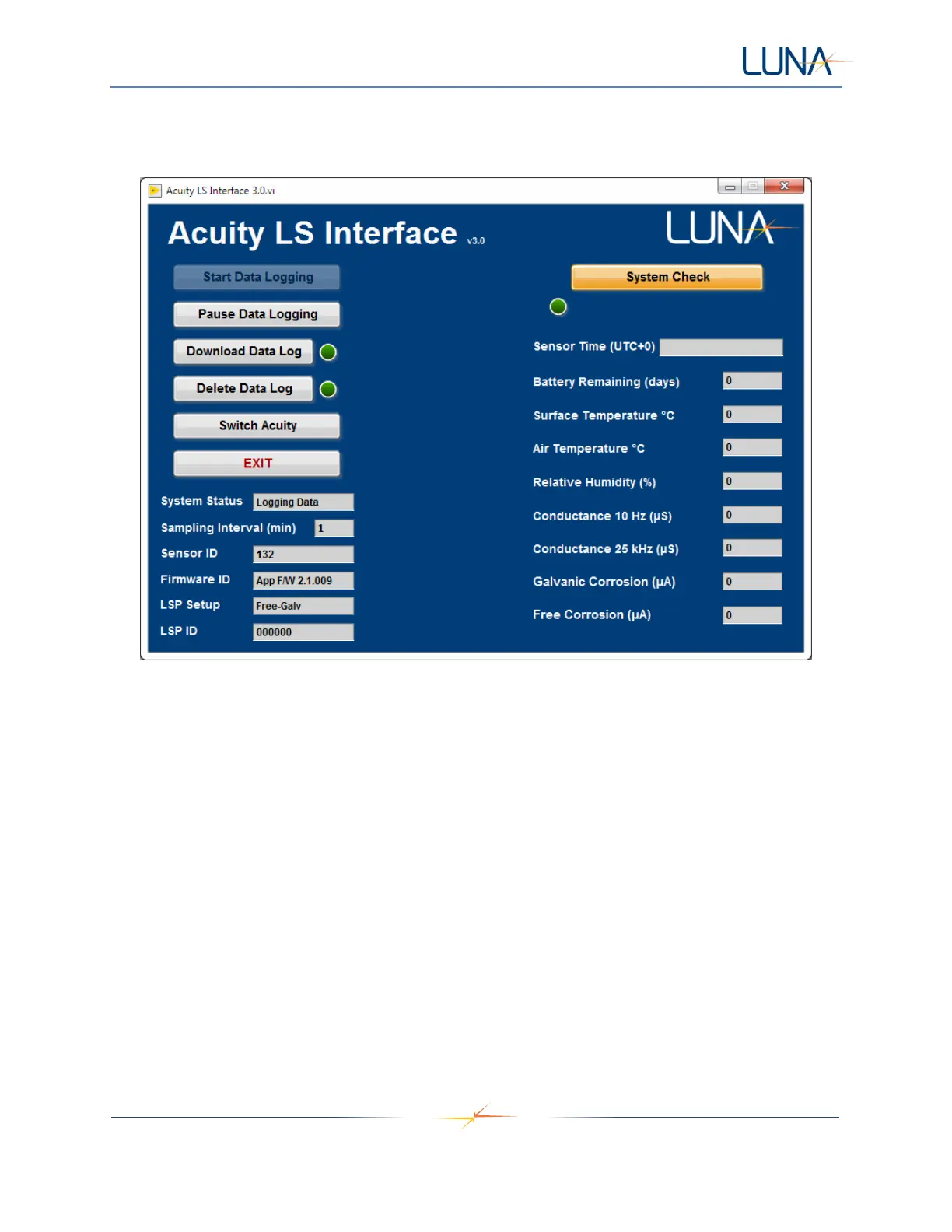
The Acuity LS user interface main screen appears once communications are established (Figure 8).
Figure 8. Acuity LS user interface main screen appears once communications are established.
The interface main screen provides the following information and functions:
• System Status – Indicates whether the connected Acuity LS device is currently logging data.
• Sampling Interval – Displays the sampling interval in minutes currently set for the device.
• Acuity LS Device ID – Displays the serial number of the connected Acuity LS device. This
number should match the label on the outside of the device.
• Firmware ID – Displays the current device firmware version.
• LSP Setup – Displays whether the sensor lid has dual galvanic (Dual-Galv) or free corrosion and
galvanic (Free-Galv) setup
• LSP ID – Displays the current sensor lid ID
• Start Data Logging – Commands the Acuity LS device to start automatic data logging. The
software will also prompt the user to set the correct date and time for the device as well as the
desired sampling interval.



 To Next Page