EasyManua.ls Logo

Lunos e2 - User Manual

Lunos e2
5 pages
Print Icon
To Next Page IconTo Next Page
Loading...
0817V2.1CT
Lunos Operation Manual
Knowing how to operate the Lunos e2 and eGO HRV systems will help you get the most out of
balanced, decentralized heat recovery ventilation. Your Lunos should already have been set up to be
operating continuously and providing healthy indoor air quality to your living spaces. However, you
may want to change the flow rates at night or in summer depending on your individual preferences.
This guide will help you determine the best ventilation strategy for your needs.
How Lunos works an introduction
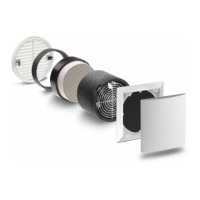
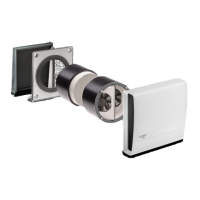
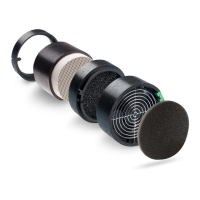
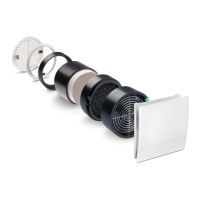
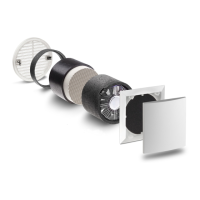
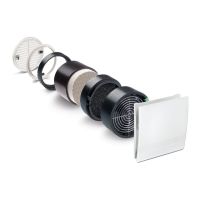
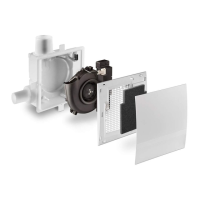
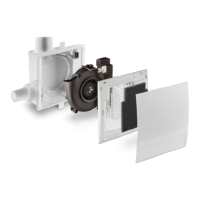
The basic Lunos unit is a through wall fan, with a ceramic regenerative heat exchanger behind it. But
the fan doesn't become a heat recovery ventilation
system
until two fan units are combined in pairs.
Each Lunos system provides heat recovery ventilation by synchronizing the direction and speed of air
flow through the ceramic cores. By reversing the air flow on regular intervals, the
ceramic cores capture and release heat to condition the interior space at optimal efficiency - while
maintaining balanced ventilation. Depending on your Lunos model, the reversal interval will be either
55 or 70 seconds.
With the Lunos e², fan pairs will be inside two different tubes that are generally on opposite ends of
your space. (For the Lunos eGO, both fans are in the same tube.) A maximum of 4 Lunos e2 fans can
be connected to one controller (a double rocker switch or rotary dial switch aka Miceli). Therefore, if
your dwelling unit has more than 4 fans, you will have more than one controller.

Other manuals for Lunos e2

Question and Answer IconNeed help?

Do you have a question about the Lunos e2 and is the answer not in the manual?

Summary

Lunos Operation Manual

How Lunos Works - Introduction

Explains the basic operation and components of Lunos units and their heat recovery function.

How to Operate the Lunos

Switch Positions and Settings

Details the four switch positions (OFF, LOW, MEDIUM, HIGH) and their corresponding CFM settings.

System Operation and Modes

Continuous Operation Benefits

Explains the advantages of running the Lunos system 24/7 for optimal indoor air quality.

Turning the System Off

Steps for safely turning off the Lunos system, including cover adjustments for vacations.

Summer Ventilation Mode

How to use Lunos fans for passive cooling at night, suspending heat recovery.

Maintenance and Special Conditions

Setting Summer Ventilation Mode

Instructions on how to activate Summer Ventilation mode using the rocker switch.

Extreme Cold Operation

Recommendations for operating Lunos in sub-zero temperatures to prevent frost issues.

Filter Maintenance Schedule

Guide for cleaning and replacing Lunos filters, including indicator light reset.

General Maintenance and Support

Annual Fan Unit Cleaning

Procedure for cleaning fan units, interior covers, and heat exchangers annually.

Installation and Further Questions

References for installation instructions and contact information for support.

Lunos e2 Specifications

General IconGeneral
Diameter160 mm
Voltage12 V DC
Core MaterialCeramic
TypeDecentralized Ventilation System
Heat Recovery EfficiencyUp to 90%

Related product manuals