120200506Installation Instructions DualGig-2.5
Quick start manual DualGig-2.5 Internet over Coax adapter
Quick start manual (2 adapters)
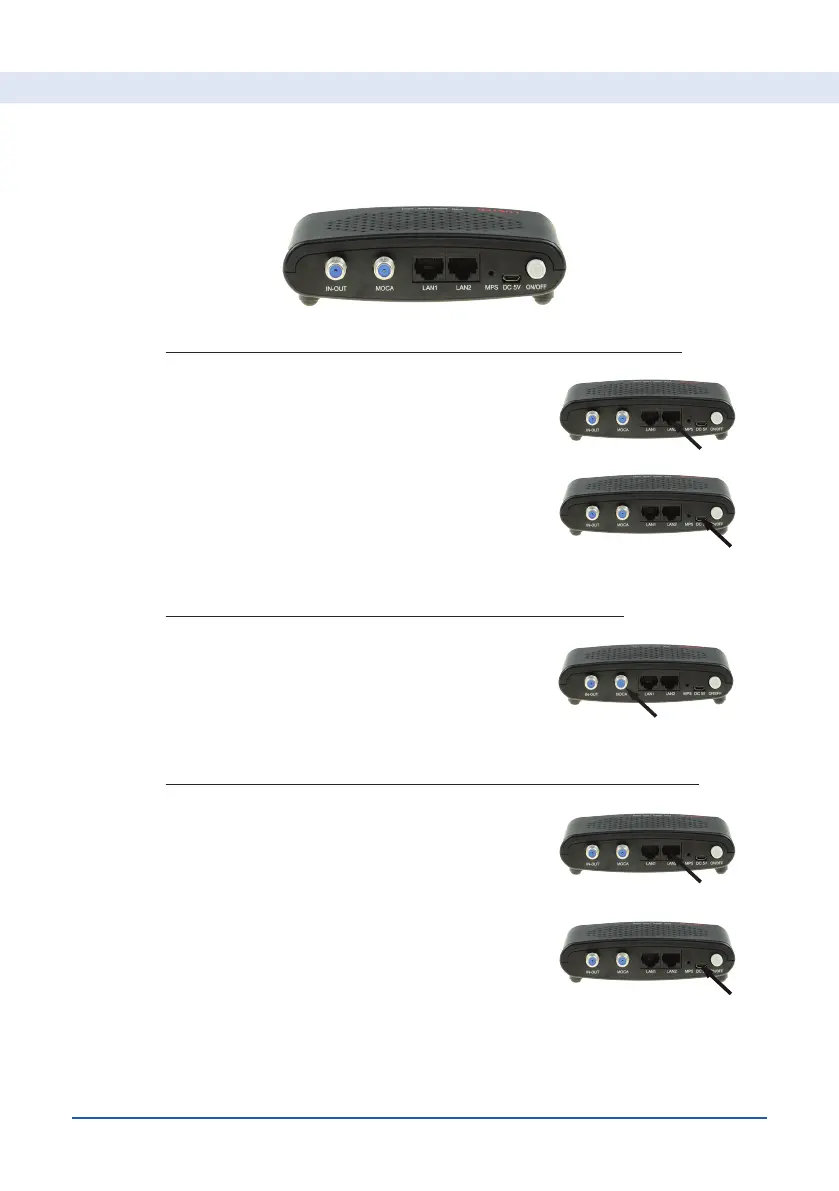
• Connect the coaxial cable beween both MoCA
adapters to the MOCA connections of both
adapters
• Connect LAN1 or LAN2 of your 2nd MoCA
adapter to your internet device
Connect LAN1 or LAN2 from your MoCA adapter to
your cable modem
• Connect the power supply and press the ON/
OFF button (the blue LED “PWR” lights up)
• Connect the power supply and press the ON/
OFF button (the blue LED “PWR” lights up)
Connecting your 1st MoCA adapter (to your cable modem)
Connect both MoCA adapters with the coaxial cable
Connecting your 2nd MoCA adapter (to your internet device)
• After 15-30 sec. the LED lights “MOCA” on
both adapters will ash and when the internet
connection is established the LED lights LAN1
or LAN2 will ash too.


 To Next Page