- 4 -
Standard Product Features
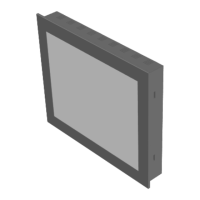
Standard LUVOX LCD monitor
• 16M High contrast colors up to SXGA 1280X1024.
• Compatible with VESA standard and DDC1/DDC2B
• VGA, audio, composite video, S-Video signal inputs
• OSD and auto-color & -tracking control
• Display Power Management Signaling (VESA PDMS)
• Touch screen interface (optional)
• VESA 75/100mm Mounting
• Integrated 4 Watt Stereo amplifier for kiosk purpose
• All-steel rugged design
standard LUVOX All-In-One system
• 16M High contrast colors up to SXGA 1280X1024
• Integrated Socket 478 industrial MINI-ITX board
• Intel Pentium
®
M or Celeron
®
M based platform
• 400MHz FSB
• DDR SDRAM 200/266/333 MAX 1GB
• 10/100 Base-TX Ethernet, 4x USB 2.0, AC97
• 2x RS232, 1x Parallel port, 1x 1394, PS/2, Audio
• Type II True IDE Mode CF Socket(s) (optional)
• Touch screen operation
• VESA 75/100mm Mounting
• All-steel rugged design
More detailed information about the integrated MINI-ITX
embedded board can be found in the installation guide which is
delivered as documentation with your LUVOX all-in-one system.
More detailed information about ELO and the optionally integrated
touch screen technologies can be found on the ELO website:
www.elotouch.com
- 5 -
Cleaning
• Clean with a soft damp cloth
• Use non-ammonia glass cleaners
Precautions
• Read instructions carefully
• Opening or removing covers may expose you to dangerous
shock hazards or other risks.
• Handle with care when transporting and save packaging
• Do not block vent holes. Do not insert sharp objects or spill
liquid into the device. They may cause accidental fire, electric
shock, or failure.
• Do not attempt to service this product yourself.
• Do not remove the ground prong from the adapter or the AC
power plug.
• Do not disconnect any cables from a device in operation
• Make sure power source voltages are correct when not using
the standard power adapters.
• Place the device in a ventilated place.
• Ensure that sufficient space is available around the device to
provide air circulation.
• Keep the monitor away from extreme heat, cold, humid or
dusty environments. Avoid direct sunlight and equipment that
generate magnetic fields.
• If the equipment is not used for a long time, disconnect it
from the power source.


 To Next Page