out the spring contact slightly to insure a clean, firm
connection.
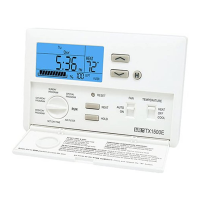
Press the small round inset RESET button on the
front of your unit using a small Philips screw driver.
The word HEAT and/or COOL
is not displayed
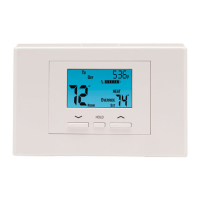
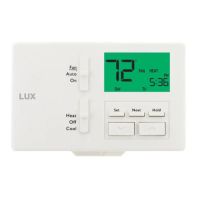
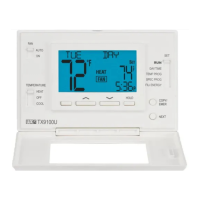
The words "HEAT" or "COOL" are not visible on the
display on this thermostat. Some of our manuals
are misprinted and read that the display will show
the words "HEAT" and "COOL", this thermostat
does not have that ability.
What does the SAVE feature
do
The Save button allows you to use one button press
to easily decrease the SET temperature in winter
and increase the SET temperature during summer.
Whenever you leave the house, touch the Save
button to put it in Save mode, the word SAVE will
be on the display. By default this will add 5 degrees
to your set temperature in cooling and subtract 5
degrees from your set temperature in heating.
When you return, touch the Save button again to
cancel the Save mode and return your home to your
previous SET temperature.
Displays "LO BATT",
"REPLACE", or battery symbol
Replace thermostat batteries with fresh AA size
Duracell® or Energizer® alkaline batteries. Be sure
that they are installed with their polarity (+ and -)
correct.
Clean battery contacts with a pencil eraser and pry
out the spring contact slightly to insure a clean, firm
connection.
Displays incorrect room
temperature
See Temperature Regulation
You want to change the
displayed temperature scale
from °F to °C or from °C to °F
A jumper comprised of two small pins on the units
circuit board and a black shorting device control the
units displayed temperature scale. Place the
shorting device over both pins to use the Celsius
scale and over only one pin (either one) to use the
Fahrenheit scale. Then press RESET using a small
Philips screw driver.
This means Out of Limit. The sensor is reading
outside the thermostats display limit. Room
temperature will reappear when the temperature
returns to switching the range. If actual room temp
is not over 95 degrees, there may be a malfunction.
Press the HW RESET button on the circuit board to
reset.
Some display backlights are difficult to see in a
lighted room. Check the backlight in a darkened
area.
If the thermostat has batteries installed, replace



 To Next Page