Need help?
Do you have a question about the LuxaFlex PowerView Generation 2 Hub and is the answer not in the manual?
Procedures for programming and configuring shades with the remote.
Steps to pair multiple PowerView remotes to create a unified network.
Procedure to add a shade to a specific group on the remote.
Procedure to remove a shade from a specific group on the remote.
How to create and set custom favorite positions for shades.
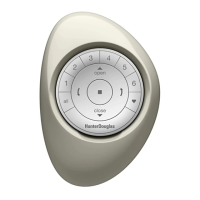
How to replace batteries in the PowerView Pebble Remote.
Steps to pair a repeater with a PowerView remote.
Steps to pair a repeater with a PowerView Hub.
Initial setup and components for the Generation 1 PowerView Hub.
Initial setup and components for the Generation 2 PowerView Hub.
Step-by-step guide for setting up the PowerView App and Hub.
Instructions for setting up the PowerView Hub using a wired Ethernet connection.
Instructions for setting up the PowerView Hub using a wireless Wi-Fi connection.
Setting up a secondary Hub via wired connection to extend network reach.
Setting up a secondary Hub wirelessly to extend network reach.
Transferring data from a Generation 1 Hub to a Generation 2 Hub.
Steps to pair a remote control to the PowerView Hub.
How to perform a full programming reset on a window covering.
 General
| Category | Home Automation |
|---|---|
| Brand | LuxaFlex |
| Model | PowerView Generation 2 Hub |
| Weight | 0.5 lbs |
| Connectivity | Wi-Fi, Ethernet |
| Control | Mobile app, Voice control |


 To Next Page