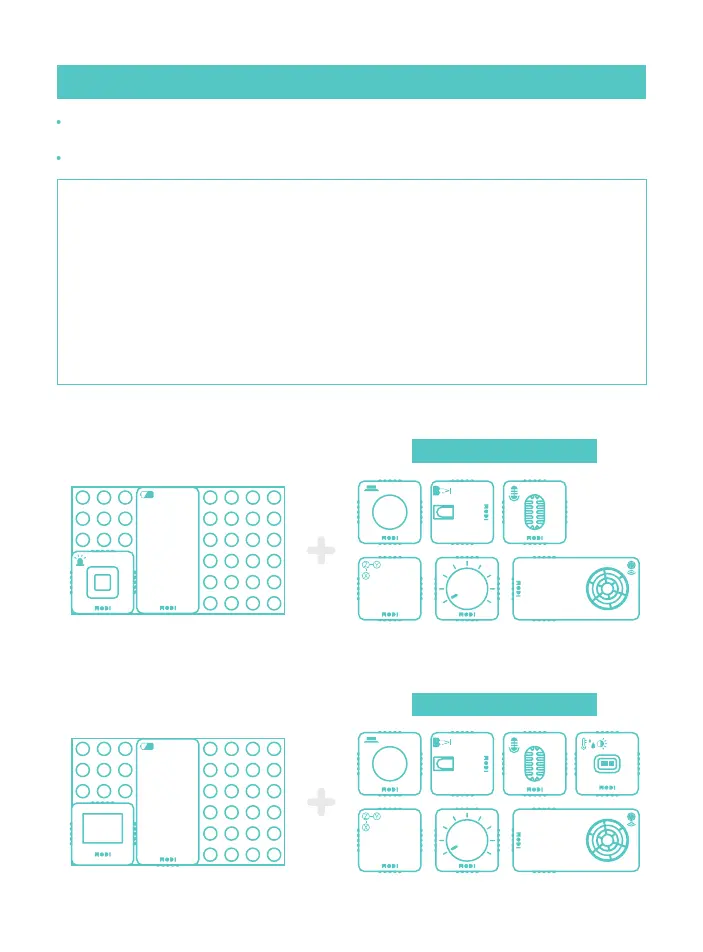
Modules that can be tested
23
All About -
04. Troubleshooting
01. [Plug & Play] Self check for Input modules
Before doing a self check, reset the modules by clicking on the module reset button
in MODI Studio.
To conduct the self check, attach the module to the basic block.
[ Self Check using LED Module ]
[ Self Check using Display Module ]
Modules that can be tested
[ Self Check for Plug & Play by Connecting an Output Module to an Input Module ]
① Link the Battery module, and then connect an Input module and an Output module to be
checked in order.
(If you don’t have a Battery module or need to recharge it, use the Network module.)
② Check the module connections.
③ Check to see if Plug & Play is operating correctly.
④ Separate the Input and Output modules.
⑤ Repeat steps ① to ④ five times.
⑥ If it fails four or more times, contact us via our website.



 To Next Page