DISABLE OR SECURE THE SSID
On the frequency you did NOT choose for the bridge, you should either disable or
secure the SSID.
A. DISABLE THE SSID
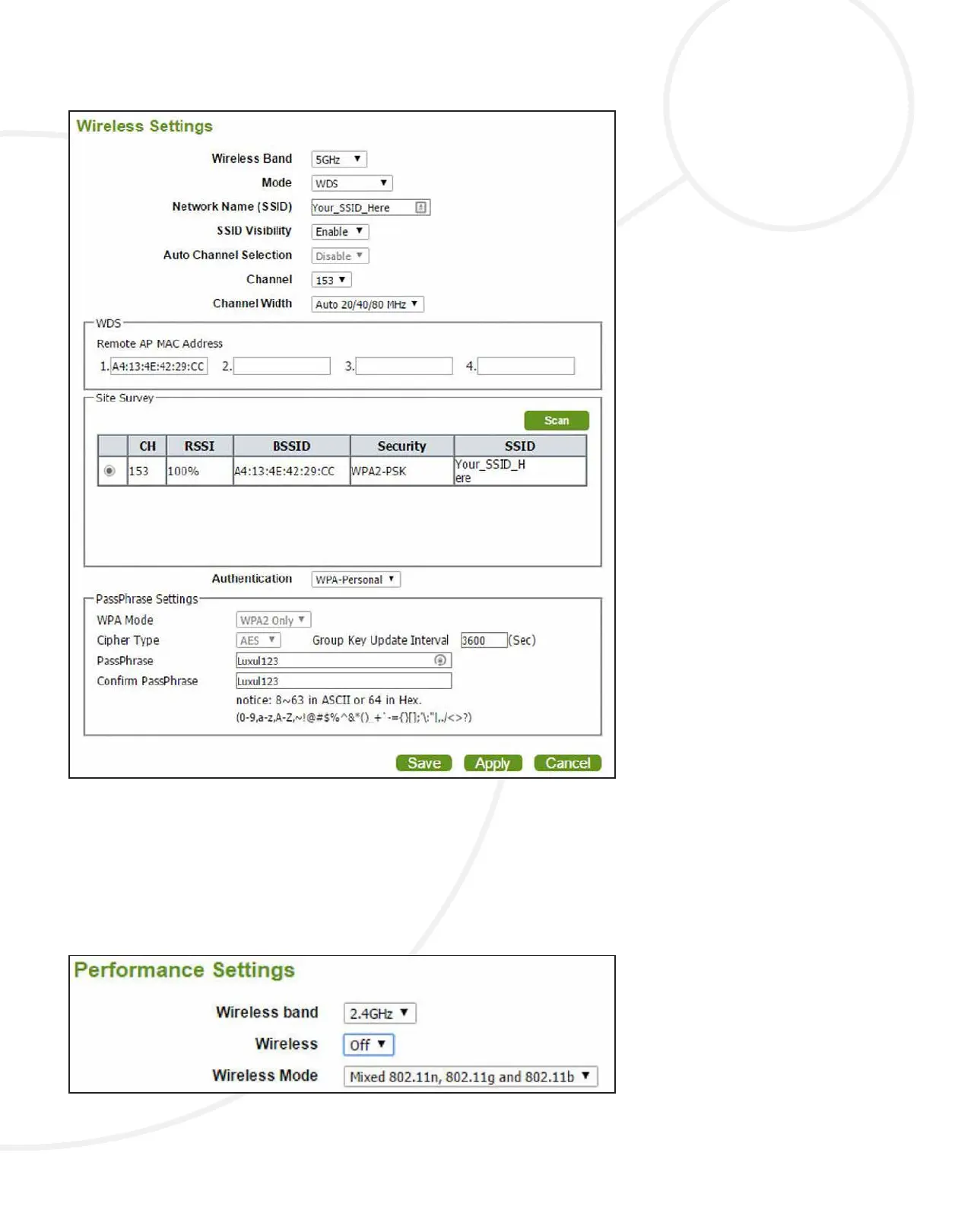
Select Advanced Settings and Performance, then change the Wireless setting from
On to O, then Select Save and Apply.
B. SECURE THE SSID
Select the Quick Setup page, then the frequency with the Operating Mode
congured as Access Mode, make the following changes:
TECH NOTE


 To Next Page