P16MI417 - A02 - 01/16 17
|
I
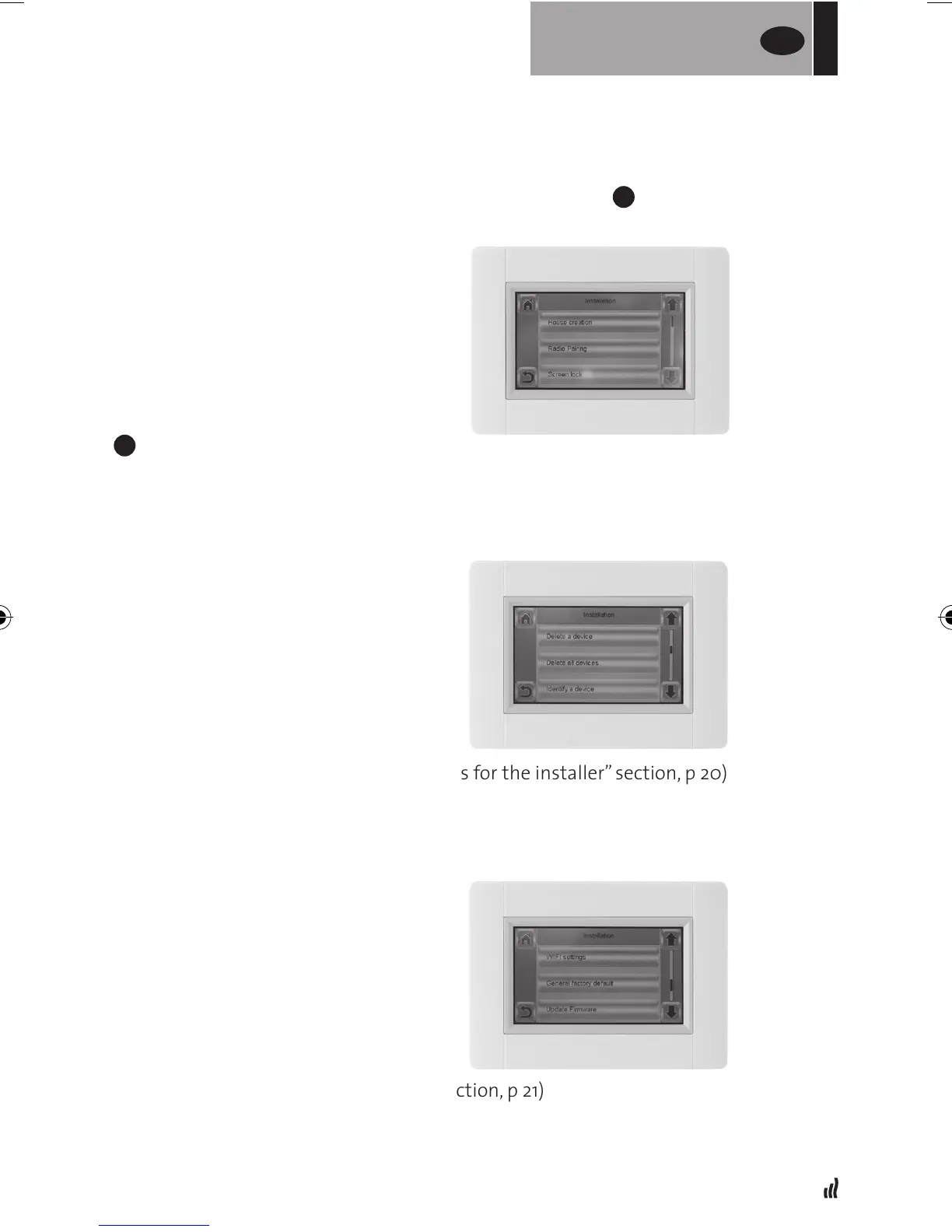
Installation (House creation menu)
• House creation (See “Create house” section, p 7)
• Radio pairing (See “pairing radiators” section, p 7)
• Screen lock (See “Other functions for the installer” section, p 19)
• Delete a device (See “Other functions for the installer” section, p 20)
• Delete all devices (See “Other functions for the installer” section, p 19)
• Identify a device (See “Other functions for the installer” section, p 19)
• Heating Settings (See “Other functions for the installer” section, p 20)
• WiFi settings (See “WiFi settings” section, p 21)
• General factory default (See “Other functions for the installer” section, p 20)
• Update Firmware (See “Other functions for the installer” section, p 20)
• Press the “Green check” button
•Denetimeanddateofreturn
• Press the “Green check” button
•Deneamodetowholeinstallation(SeeModemenu
E
).
To cancel, press so the button is “empty”.
• Press the “Green check” button.
After the start or end time, it will
take a few minutes before all units
have received the new information.
FOR
USERS
UK


 To Next Page