|
6 P16MI417 - A02 - 01/16
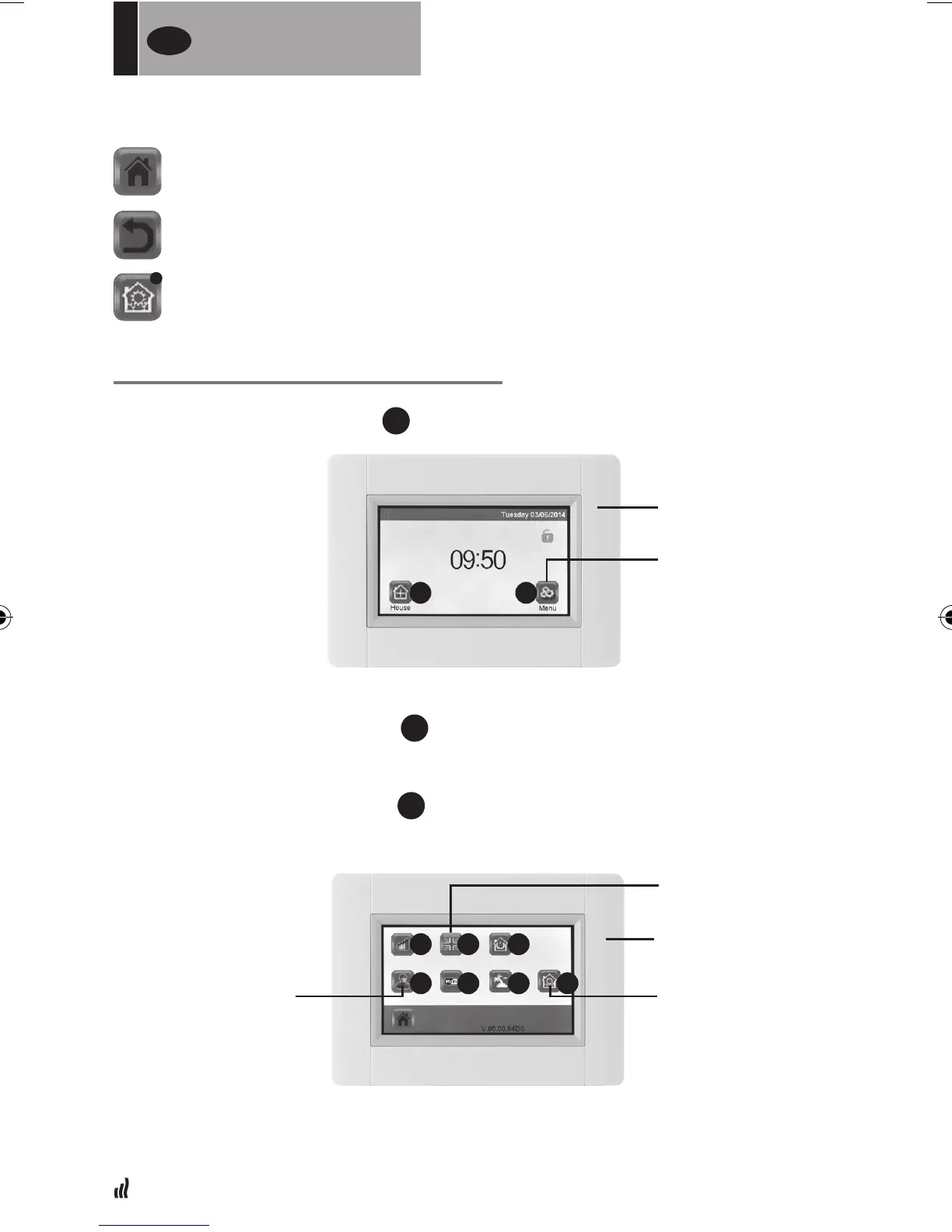
05. General pictograms
SETTING LANGUAGE, TIME AND DATE
01. Press “Main menu” button
A
02. Press “Set language” button
D
•Theagofthecurrentlanguageisdisplayed.
03. Press “User settings” button
F
• Set the current time and date
to return to the “Start screen”
to return to the previous screen
the buttons with a red dot require a long press
FOR
THE INSTALLER
UK
MAIN MENU
BUTTON
START SCREEN
SET LANGUAGE
USER SETTINGS PARAMETER SETTINGS
A B
MAIN MENU
C
F
D
G
E
H I


 To Next Page