P16MI417 - A02 - 01/16 7
|
CREATE HOUSE
01. Press “Main menu” button
A
02. Press the “Parameter settings” button
I
(long press)
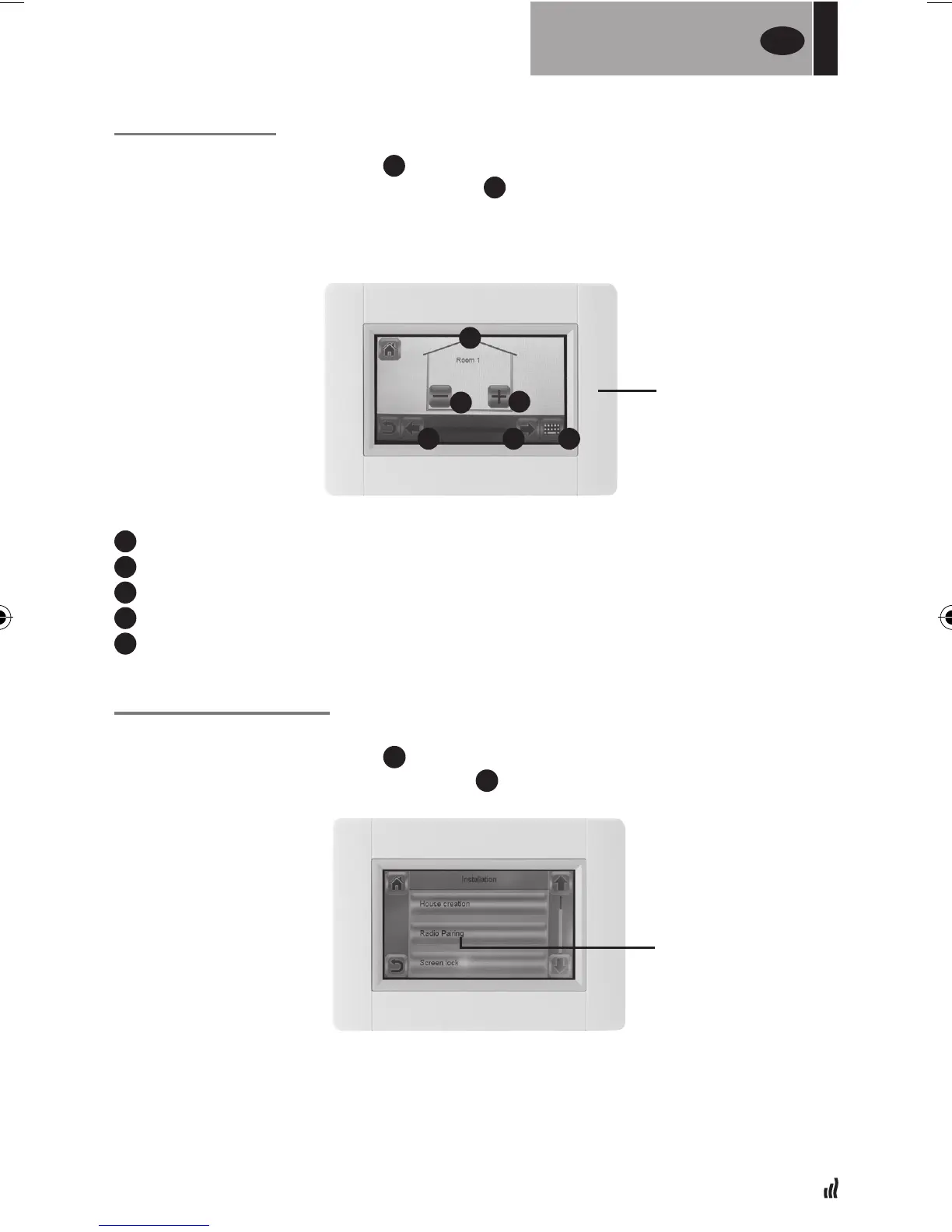
03. Press the “House creation” button
• Create all the rooms (or zones)
a
Current room name
b
To change the current room name
c
To add a room
d
To delete the current room
e
Room selection
PAIRING RADIATORS
01. Press “Main menu” button
A
02. Press the “Parameter setting” button
I
(long press)
• >> Select radio pairing
• Choose device, press “Heating”.
• Select room
FOR
THE INSTALLER
UK
a
b
c
e e
d
RADIO PAIRING
ROOM MENU


 To Next Page