|
18 P16MI417 - A02 - 01/16
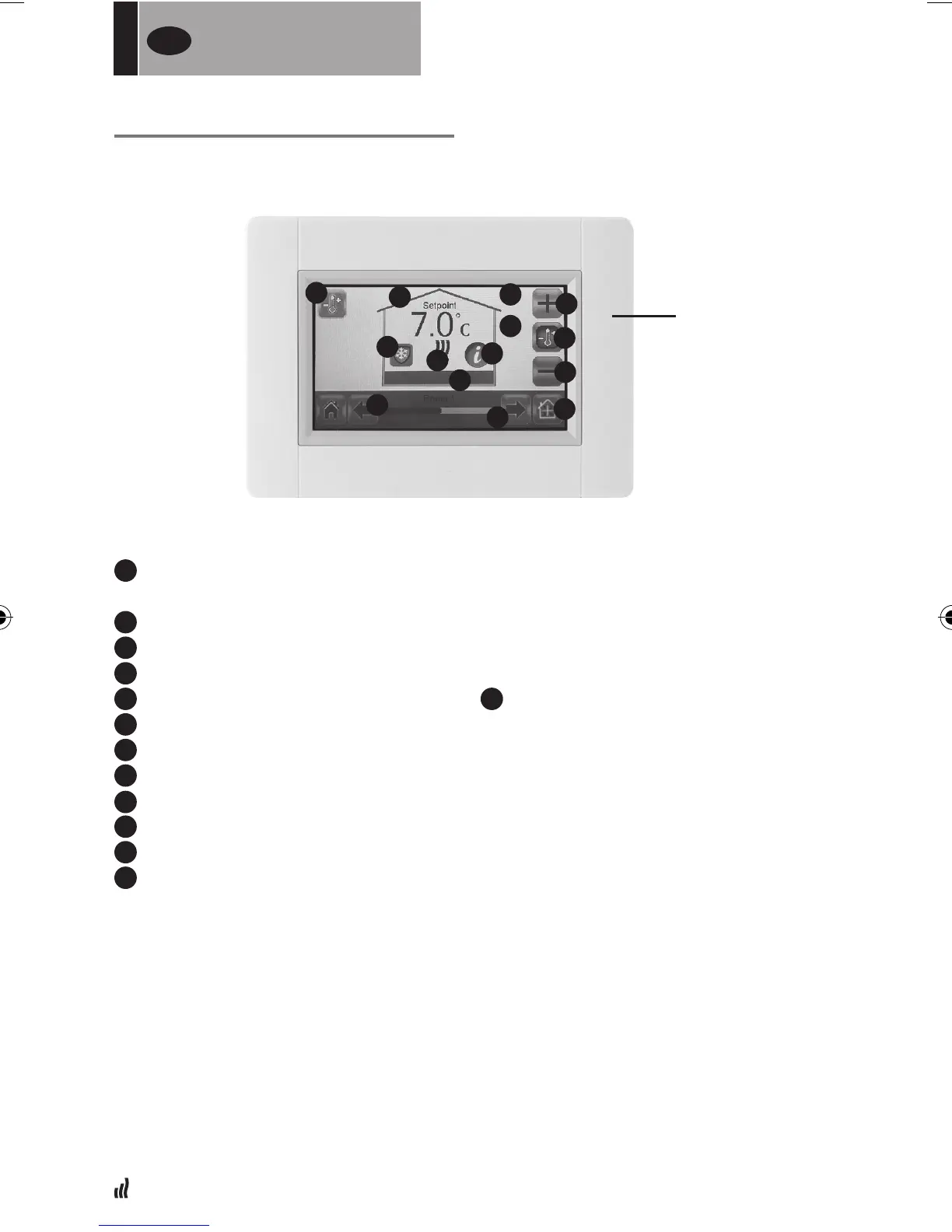
HEATING DEVICE MANAGEMENT
1
Heating button. Could be used for validation of temperature setting to
speed up the change.
2
Room selection
3
”Current mode”, press to alter mode
4
Set point temperature, or Ambient temperature value.
5
Press to toggle between values in point
4
.
6
Press to increase or decrease the setpoint. Does not need to be validated.
7
Heating indicator (animated when heating)
8
Current room name
9
Quick access to “Room menu”
10
Information button
11
Only displayed when screen is locked
12
Shows a “moon”symbol if radiator is in reduced mode by external signal.
FOR
USERS
UK
1
2
2
9
4
3
5
6
6
7
8
10
11
12
CONTROL MENU


 To Next Page