P16MI417 - A02 - 01/16 21
|
WIFI SETTINGS
CONNECT THE TOUCH E3 TO YOUR WIFI
01. Press “Main menu” button
A
02. Press the “Parameter setting”button
I
(long press)
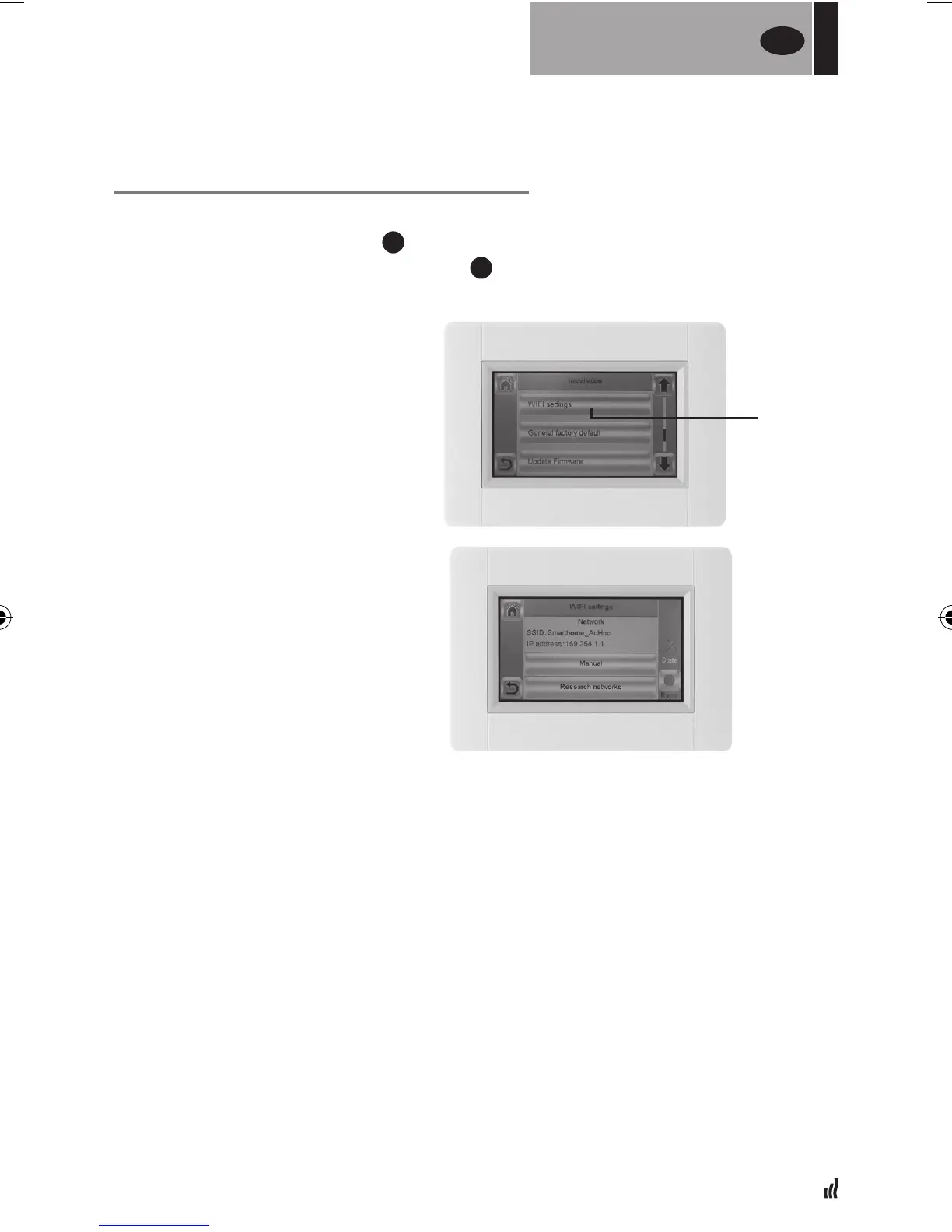
03. Select the “WiFi settings”button.
Perform a WiFi scan.
01. Press the “Research networks” button. A list of available WiFi networks will be
displayed after some time. Repeat at least twice if your desired WiFi network
is not displayed. If your desired WiFi network is still not displayed, enter the
WiFi settings manually (see below section).
02. Select your desired WiFi network.
03. Select the encryption type of your WiFi network (e.g. WEP, WPA)
04. Enter the key code / password for your WiFi network
Enter the WiFi setting manually
01. Enter your WiFi network name
02. Select the encryption type of your WiFi network (e.g. WEP, WPA)
03. Enter the key code / password for your WiFi network
When your wifi connection succeeds, a green flag should be displayed.
If needed, the “Reset” button (long press) allows reinitializing your WiFi setting.
You can then enter the WiFi
setting manually or perform
a WiFi scan.
WIFI
SETTINGS
UK
WIFI
SETTINGS


 To Next Page