EasyManua.ls Logo

LXE MX7 Tecton - User Manual

LXE MX7 Tecton
25 pages
Print Icon
To Next Page IconTo Next Page
Loading...
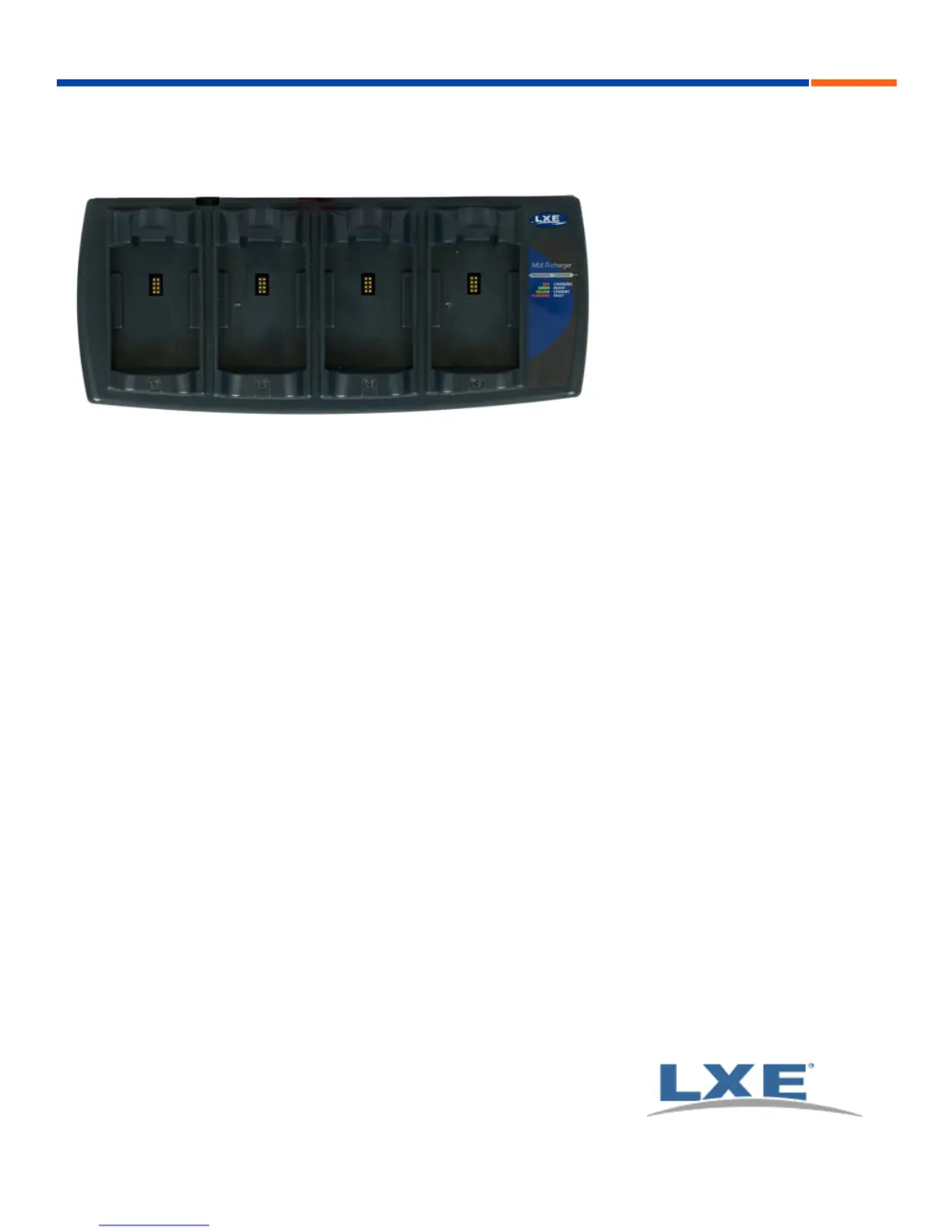
MX7 Tecton Battery Charger User Guide
E-EQ-MX7TCHGROG-A
Copyright © 2011 by LXE®, Inc., An EMS Technologies Company. All Rights
Reserved.

Other manuals for LXE MX7 Tecton

Questions and Answers

  • C
    christopher98Aug 14, 2025
    How to fit battery pack in LXE Battery Charger?
    • R
      Rita HartAug 14, 2025
      If the battery pack doesn't fit into the battery well of the LXE Battery Charger, it may be due to using a battery pack from a different manufacturer, or there might be an object obstructing the charging pocket. Verify that the MX7 Tecton battery pack has LXE part number 159904-0001 (MX7A380BATT with a white label or a Cold Storage Battery MX7A381BATT with a Blue label) on the label. If it doesn't, do not use it. Also, check for and remove any objects from the charging pocket.
  • S
    Stephanie Hobbs DVMAug 18, 2025
    What to do if the LXE Battery Charger's red LED is off?
    • D
      Danielle GonzalezAug 18, 2025
      If the LXE Battery Charger is plugged in and the battery pack is inserted, but the red LED is off and no other LEDs are on, or all LEDs are off, it could be that the battery pack isn't making contact with the charging terminals. Ensure that you push the battery pack in firmly, but avoid slamming it. Another cause could be a faulty battery pack, in which case you should replace it. If replacing the battery pack doesn't resolve the issue, contact your LXE representative for replacement options.
  • C
    candersonAug 21, 2025
    Why is the LED flashing red on my LXE Battery Charger?
    • M
      Matthew MaxwellAug 21, 2025
      If the LED is flashing red on the LXE Battery Charger, it may be because the current could not be sourced through the battery pack due to age, exhaustion, or damage to the cell(s), or because the battery pack does not communicate with the charger. In this case, contact your LXE representative for battery pack replacement options. Another reason could be that the charger’s timeout period has expired. Make sure that the battery pack temperature is within specification and retry charging. If the problem repeats, contact your LXE representative for battery pack replacement options.
  • J
    John MorenoAug 25, 2025
    What to do if the LXE Battery Charger shows a solid yellow light?
    • J
      Jennifer WilliamsAug 25, 2025
      If you see a solid yellow/amber LED when the battery pack is inserted in the LXE Battery Charger, it means the battery pack is either too hot or too cold to charge. Remove the battery pack and allow it to adjust to room temperature. Note that if the battery pack is left in the charger, it will cool down or warm to a temperature upon which the charger will begin the charge cycle. However, depending on the temperature of the battery, it may take 2-3 hours to adjust.
  • E
    Eric GambleAug 28, 2025
    Why are the LEDs on when there is no battery in my LXE Battery Charger?
    • T
      teresa74Aug 28, 2025
      If any of the LEDs are on even when there is no battery pack in the LXE Battery Charger, it indicates that there may be dirt or foreign objects in the battery well. Unplug the charger from the AC supply and remove any dirt or foreign objects from the charging pocket. If the LEDs continue to remain ON, the charger may be defective and should be returned to an authorized LXE service center.
  • J
    James CarterAug 31, 2025
    Why do new LXE MX7 Tecton batteries drain quickly?
    • W
      Willie RiveraAug 31, 2025
      New batteries must be fully charged before their first use. Also, remember that the LXE MX7 Tecton is always on, even when suspended, and it constantly draws a small amount of battery power.
  • M
    Michael ScottSep 3, 2025
    What to do if ActiveSync connection keeps dropping on LXE MX7 Tecton?
    • M
      Mr. Michael AndersonSep 3, 2025
      If you keep losing the ActiveSync connection between your host computer and the LXE MX7 Tecton, disconnect the cable, wait a couple of seconds, and then reconnect it. Note that the MX7 Tecton won't suspend while an ActiveSync session is running.
  • C
    Christina HarveySep 7, 2025
    Why does my LXE MX7 Tecton lock up after rebooting?
    • B
      Beverly SchwartzSep 7, 2025
      The LXE MX7 Tecton may experience slight delays after rebooting while the wireless client connects to the network, voice-enabled applications complete authorization, Wavelink Avalanche manages the startup, and Bluetooth relationships establish or re-establish. The MX7 Tecton is ready for use when the desktop appears or an application begins.
  • N
    nmurphySep 9, 2025
    How to fix LXE handheld's touchscreen that is not responding?
    • O
      omarfitzpatrickSep 10, 2025
      If the touchscreen on your LXE Handheld is not accepting stylus taps or needs recalibration, press + to force the Start screen to appear. Then, use the arrow keys to navigate between programs. Press Enter to start a program or open a folder, such as Settings.

Summary

Introduction

Quick Start

Provides abbreviated instructions for a brief overview of the process.

Cautions and Warnings

Components

MX7 Tecton Battery Multi-charger Components

Diagram of the multi-charger unit with numbered components and a legend.

Charging Pocket Details

Close-up view of a charging pocket, detailing its internal parts like the battery well and contacts.

Installation

Assemble the Power Supply

Instructions for connecting the AC adapter to the multi-charger and power outlet.

Charging Batteries

Inserting a Battery into the Charging Pocket

Step-by-step guide on how to correctly insert a battery pack into a charging bay.

Interpreting the Charging Pocket LEDs

Troubleshooting

Charger Cleaning, Storage and Service

Extending Battery Life

Maintenance Routine

Battery Cleaning, Storage and Service

Specifications

LXE MX7 Tecton Specifications

General IconGeneral
BrandLXE
ModelMX7 Tecton
CategoryHandhelds
LanguageEnglish