EasyManua.ls Logo

Lynxspring JENE PC-6000 Series - User Manual

Default Icon
24 pages
Print Icon
To Next Page IconTo Next Page
Loading...
1
Lynxspring Wireless Thermostat Driver Guide
Wireless Thermostat Driver Guide
Used With VWG-APP-1020 Wireless Card
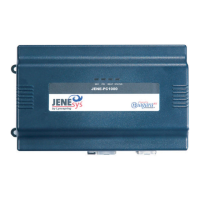
For Lynxspring® JENE PC-1000
& 6000
Series Product
(Issue Date: August 5, 2009 / ITG-VWG-AP-1020-LNX-E03)
Product Overview
The VWG-APP-1020 wireless communication card and related “WirelessStat” driver jar file have been specifically
designed to be used by Niagara AX
®
powered JENE controllers.
When utilized in conjunction with the VT7xxxXxxxxW series wireless thermostats they offer the integrator simple
integration to the Niagara AX
®
environment.
The application is targeted at retrofit applications where the addition of communicating field bus wiring within the
building space is prohibitive. The JENE communication card and associated Wireless Communicating
Thermostats encourage the use of existing wiring utilized by existing electronic thermostat type controls.
Additional documentation is available on www.lynxspring.com
Question and Answer IconNeed help?

Do you have a question about the Lynxspring JENE PC-6000 Series and is the answer not in the manual?

Lynxspring JENE PC-6000 Series Specifications

General IconGeneral
BrandLynxspring
ModelJENE PC-6000 Series
CategoryThermostat
LanguageEnglish

Summary

About Lynxspring Wireless Mesh Networks

Wireless Card Installation

Instructions for installing the wireless communication card within a JENE controller.

Basic Initial Design And Deployment Consideration

Network Interference and Channel Selection

Guidance on avoiding network interference by using specific 802.15.4 channels with Wi-Fi devices.

Node Distance Guidelines

Maximum distance recommendations between wireless nodes based on line of sight.

JENE and Wireless Communication Card Configuration

Install Wireless Card and Software

Steps to install the wireless card and load the WirelessStatNetwork jar file.

Configure Serial Port Settings

VWG ZigBee Settings

Important Notes

Thermostat Discovery & Database Tools

Thermostat Discovery Process

Automatic discovery of thermostats by the JENE without a manual discovery button.

Database Tools: Add;Remove Thermostat

Edit Thermostat Characteristics

Add Device to Network

Status and Health Indicators

Thermostat Objects Supported

Objects Supported By Model (Part 1)

Objects Supported By Model (Part 2)

Integration - Global Commands

Global Command Control Level

Overview of global commands for all thermostats and specific devices.

Device Level Control

Objects monitored and commanded at the device level.

VT7200 X Integration - Graphic User Interface (GUI) objects

VT73 xxX Integration - Graphical User Interface (GUI) Objects

VT76 xxX Integration - Graphical User Interface (GUI) Objects

Tips and Things You Need To Know

System Troubleshooting Recommendations

Recommendations for troubleshooting common system and thermostat detection issues.

Installing VT7000 Series Wireless ZigBee Thermostats

Duplicated ZigBee Addresses Problem

Issue of duplicated ZigBee addresses created during commissioning and workarounds.

Related product manuals