9
SONG PLAYBACK
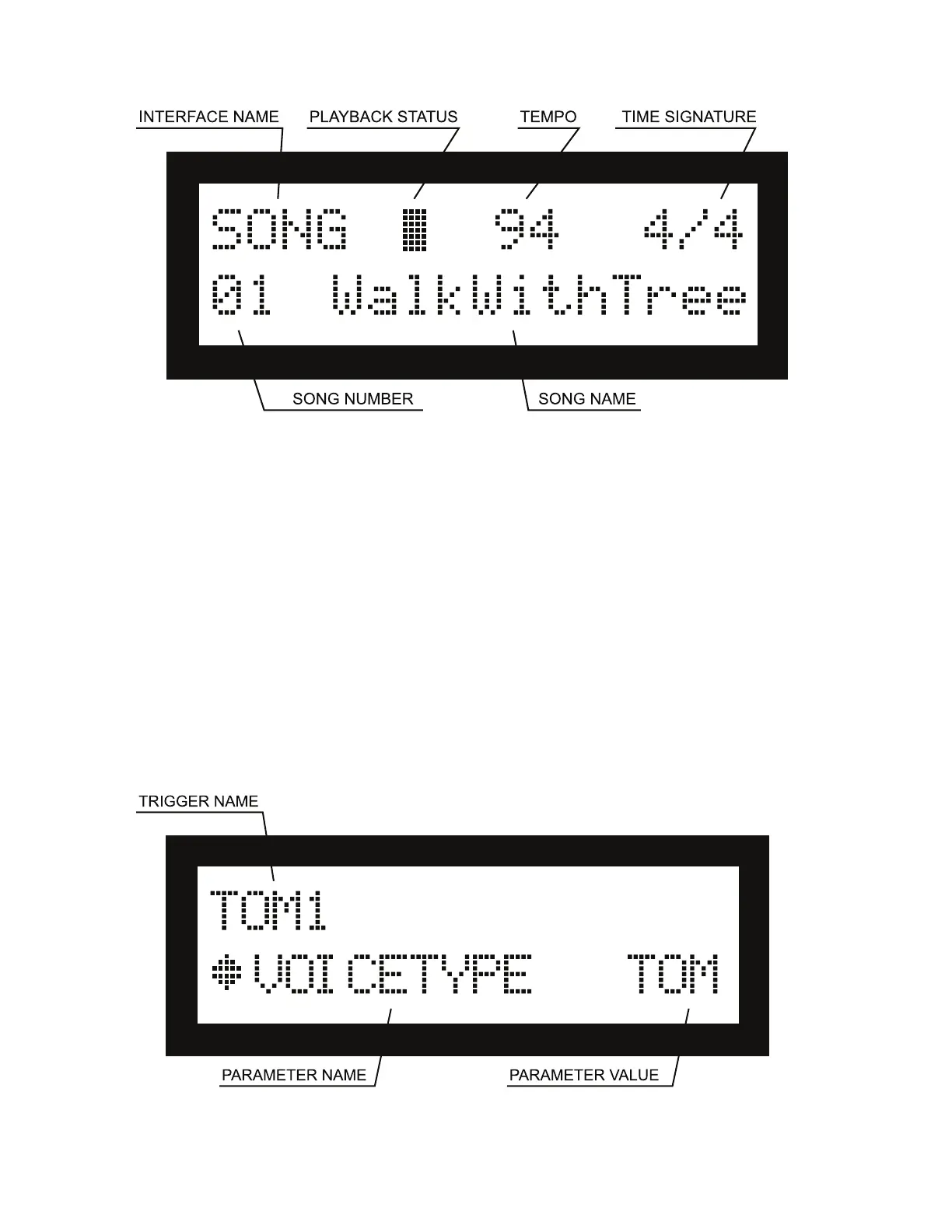
To enter this interface, press the SONG button. From this interface, you can perform the following functions:
Song Playback
• Use the +/- buttons or the Value Rotary dial to select the song or user song you want to play.
• While switching songs, the default tempo and time signature of each song will be read and applied to the metronome.
If you want to reset the metronome to the default tempo of a song, you can switch songs to manage it.
• Press the PLAY/STOP button to play a song or user song. Press the button again to stop.
Record with a Song
• Press the •ENTER button from the song playback interface to start recording along with a song. Its tempo will be
adjusted to the displayed value.
• If you want to change the tempo, or turn the metronome on/o, do the following steps BEFORE pressing the •ENTER
button:
- Press CLICK to turn the metronome on/o.
- Press TEMPO, then use the +/- buttons or the Value Rotary dial while the tempo is blinking to change it.
EDITING A KIT
To enter this interface, press the EDIT button. All parameters in this interface are saved by kit, so they will change
as you switch between kits.
• Use the drumsticks or your hand to tap the part of the drum kit (or the “trigger”) you want to edit, or use the Drum


 To Next Page