4746
Display iconsDisplay icons
Display iconsDisplay icons
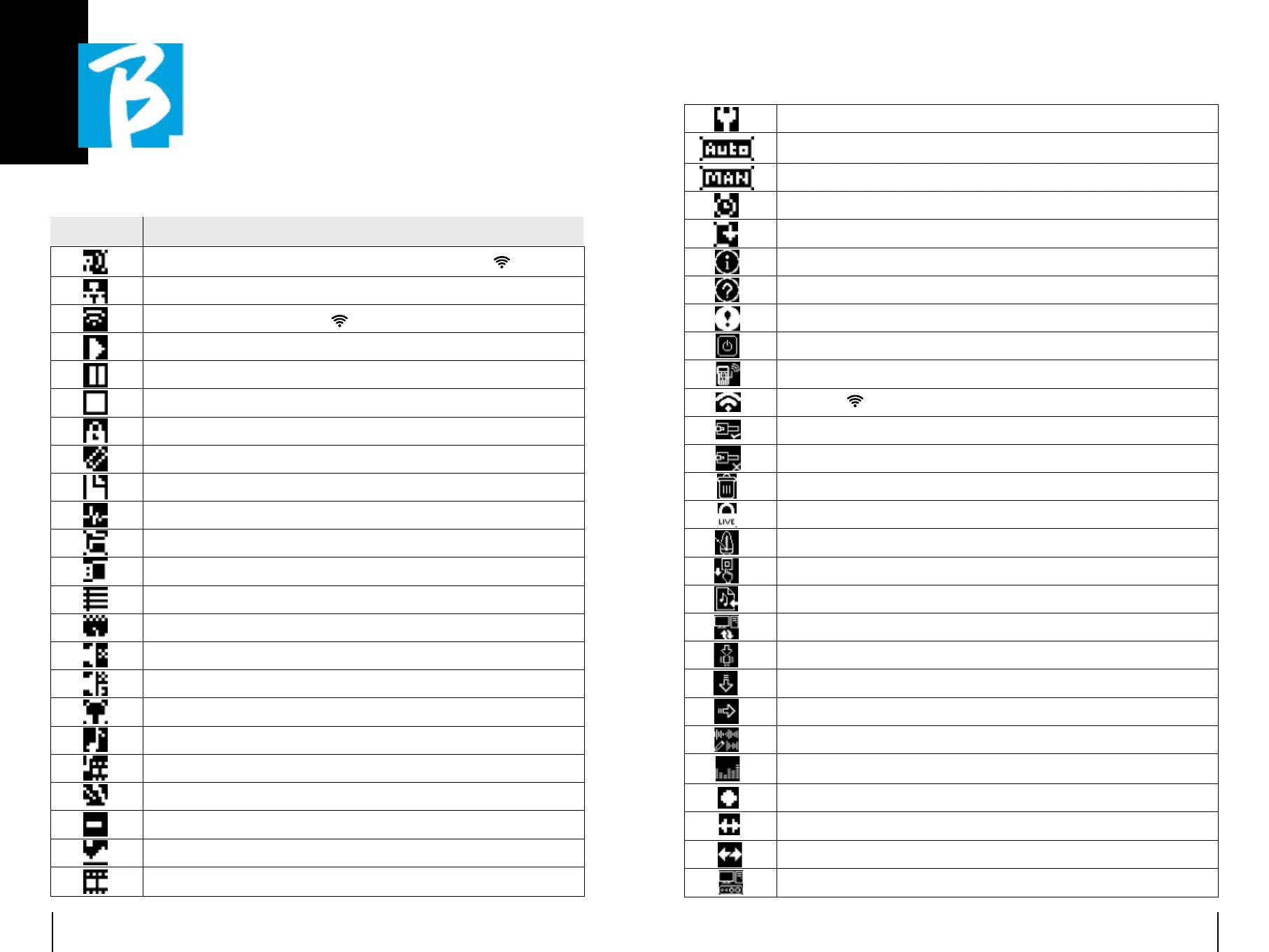
Icon Meaning
Active hotspot (optional M-Pen required to generate Wireless
)
Active connection via Ethernet cable
Active connection via Wireless
Play status
Pause status
Stop status
Live mode active
Edit mode. You are changing the data of: •Playlist •Project (Tracks)
The adjacent number is the number of elements in the selected environment
The adjacent number is the number of tracks in the project
Working environment: Library - internal memory
Working environment: Library - external USB memory
Working environment: Playlists
Working environment: Shows
Mute track (configured as mute)
Muted track due to the configuration of the family to which it belongs
Headphone enabled output
The element is a Project
The element is a Project with media (video or Jpg)
The element is a metronome
The element is a silence
The media is an image
The media is a video, e.g. the slots of a scene.
Options menu
Autoplay of Next (applies to single projects, playlists)
Starting Next is manual (press Play or pedal)
Starting Next is automatic after a certain time (Show)
The scene is in Loop mode (on repeat)
Information notice
Request for action or confirmation
Warning
Shutdown request
Hotspot information
Wireless
information
Ethernet Information - Connected cable
Ethernet information - Cable not connected
Delete element
Live Mode confirmation
Metronome configuration
Metronome configuration - Tap
Import audio files from USB
File transfer (B.Beat PRO16Manager) activated
System Update or DSP
Load element into memory
Load element as NEXT
Edit Project Tracks
View Vu meters
Registration status
Active synchronisation
Device synchronisation
USB Audio Mode


 To Next Page
 Loading...
