10
Display & Control Maps
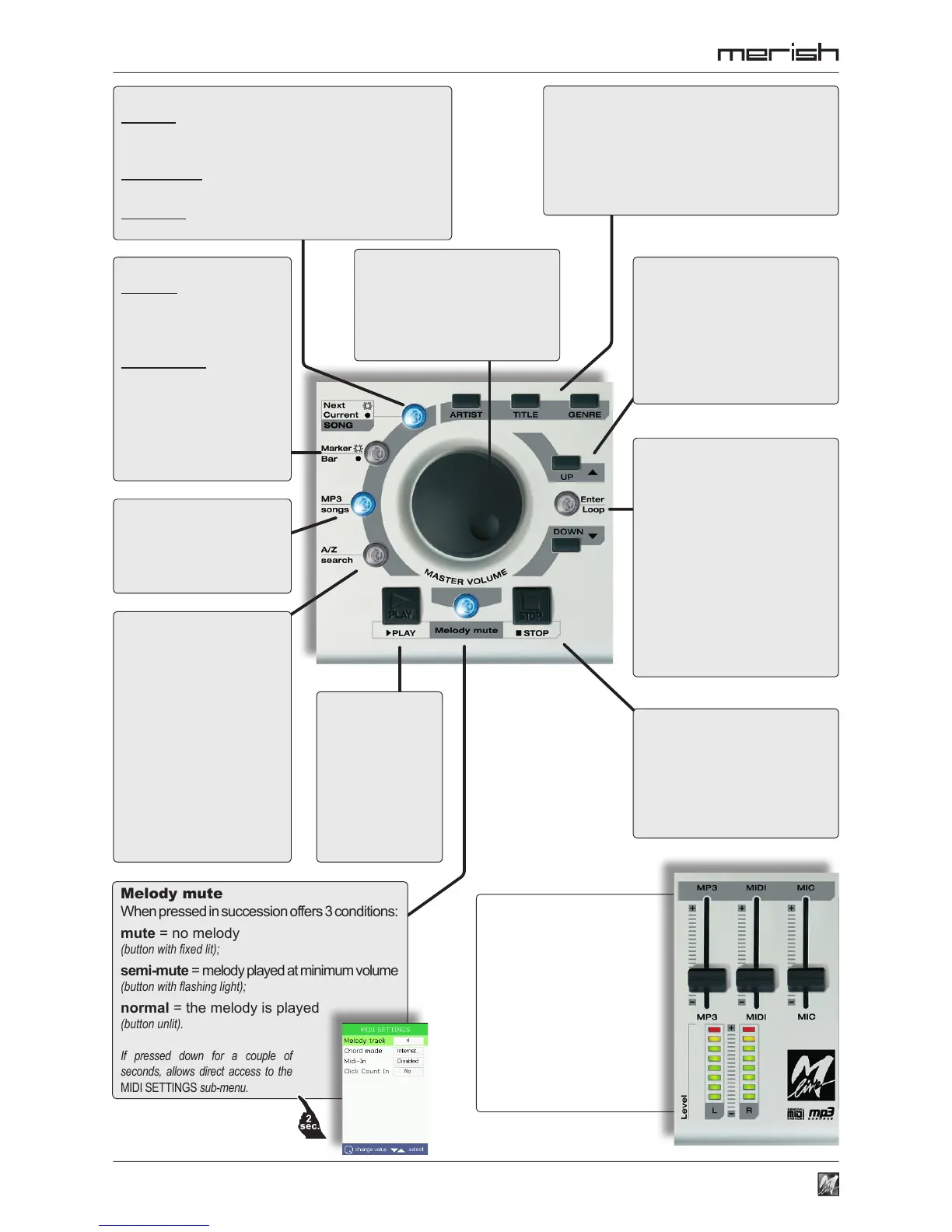
A R T I S T T I T L E G E N R E
show the songs, listed in order of Artist,
Title and Genre respectively.
The lists are scrolled using UP/DOWN and
the DIAL; the selection is conrmed with
ENTER or NEXT SONG.
UP / DOWN
moves the selection cursor
along the items (songs, tracks,
instruments, parameters, etc.)
of the various environments
(playlists, lists, edit, menu,
etc.). Pages are scrolled
automatically.
DIAL
according to the context:
• moves the selection cursor
• edits the value of the
selected parameter
• controls the general volume
Enter / Loop
normally conrms the current
selection (choice of song,
access to page/function/
parameter, etc.);
if pressed when the Marker
panel is displayed, enables
the innite repetition (loop) of
the current marker (lighting
up), until it is pressed again
(and goes off).
PLAY
b e g i n s t h e
playing of the
selected song
and/or continues
playing the song
put in “pause”.
Melody mute
When pressed in succession offers 3 conditions:
mute = no melody
(button with xed lit);
semi-mute = melody played at minimum volume
(button with ashing light);
normal = the melody is played
(button unlit).
If pressed down for a couple of
seconds, allows direct access to the
MIDI SETTINGS sub-menu.
STOP
stops the playout of the song:
pressed once = pause
(press Play to start playback again from
the same point);
pressed twice = stop
MP3 songs
only displays the songs
in MP3 format of the
Artist, Title and Genre list
selected.
Next / Current SONG
button lit (Next): shows that Bpm, Key and Marker/
Bar (and relative buttons and panels) are relative
to the following song;
button unlit (Current): shows that the above
elements regard the current song.
If pressed, switches between the two songs
(providing a Next Song has been uploaded).
Marker / Bar
button lit: the song being
played has markers; the
button enables/disables
the Marker panel;
button unlit: the song
doesn’t have markers;
the b u tton e nable s /
disables the Bars panel
(target bars).
Does not work on MP3 les.
A/Z search
enables an A/Z search in the
Artist, Title and Genre lists:
the DIAL scrolls through the
alphanumerical characters
available (those able form a
name or title in the memory);
ENTER adds the character
to the search lter (moving
the cursor to the rst match of the
selection);
A/Z (and/or UP/DOWN)
ends the search.
M P 3 M I D I M I C
adjust the respective
output levels.
L R Level
display the
main output volume
(can be adjusted with the DIAL).



 To Next Page