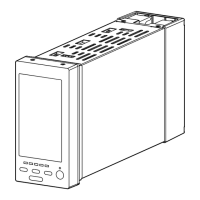
MSP4 / MSP5 / MSP6
TROUBLESHOOTING
TROUBLE
POWER
LED
INPUT
LED
STATUS
LED
POSSIBLE CAUSE HOW TO PROCEED
No
function
ON ON Flash
2 sec
Abnormal input signal.
(No change over deadband)
Check input signal.
Narrow the deadband.
ON ---- Flash
0.5 sec
Actuator mechanism is damaged. Repair
Overload cause by a foreign object caught
in the valve.
Check the valve.
Control PCB damaged. Repair or replace.
Wiring error at the motor or position sensor.
Check the connector.
Low power voltage or insufficient capacity. Check the power supply.
ON OFF Flash
2 sec
Abnormal input signal. Check the input signal.
Wiring error at the input signal.
Check the connector and connecting section.
OFF ---- ---- Wiring error at the power supply.
Check the connector and connecting section.
Abnormal power supply voltage. Check the power supply.
Fuse melted. Replace the fuse.
ON ---- ON Malfunction by noise. Turn off the power supply and restart.
Low power voltage or insufficient capacity. Check the power supply.
ON ---- OFF Malfunction by noise. Turn off the power supply and restart.
Low power voltage or insufficient capacity. Check the power supply.
Unstable functioning Power voltage is low or fluctuating. Check the power supply.
Unstable input signal. Check the controller, cables. Eliminate
noise.
Position sensor damaged. Replace the position sensor.
Stops in the middle of stroke
Slows down in the middle of
stroke
Actuator mechanism is damaged. Repair
Overload cause by a foreign object caught
in the valve.
Check the valve.
---- Regardless of LED state.
For repair or parts replacement, contact M-System or representatives.
Rugghölzli 2
CH - 5453 Busslingen
Tel. +41 (0)56 222 38 18
Fax +41 (0)56 222 10 12
mailbox@sentronic.com
www.sentronic.com
Produkte, Support und Service
SEN
TRONIC
AG



 To Previous Page