EM-7801-A Rev.7 P. 2 / 10
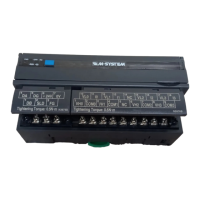
COMPONENT IDENTIFICATION
5
4
3
2
1
0
9
8
7
6
5
4
3
2
1
0
9
8
7
6
5
4
3
2
1
0
9
8
7
6
ERR
RD
RUN SD
PWR
X10 X1
STATION ADD. B.RATE
CNFG.
1 2 3 4 5 6 7 8
4567
123
10 11 12 13
2341
15 16 17 18
7896
14
5
(A) Status Indicator LED *
1
(B) Station Address Setting Rotary SW
(C) Baud Rate Setting Rotary SW
(D) Operating Mode Setting DIP SW (SW1)
(E) PC Configurator Jack
(F) CC-Link, Power Supply Terminals
(G) Input Terminals
*1. Refer to ‘Status Indicator LED’ section for detailed information.
(A)
(F) (G)
(B) (C) (D) (E)
■ STATUS INDICATOR LED
ID COLOR FUNCTION
PWR Red Turns on when the internal 5V is sup-
plied normally.
RUN Red Turns on when the refresh data is re-
ceived normally.
ERR Red Turns on when the received data is
abnormal.
SD Red Turns on when the module is transmit-
ting.
RD Red Turns on when the module is receiving.
■ STATION ADDRESS
Station Address is selected between 1 and 64 in decimal.
The left switch determines the tenth place digit, while the
right switch does the ones place digit of the address.
5
4
3
2
1
0
9
8
7
6
5
4
3
2
1
0
9
8
7
6
Station Address Setting (x1)
Station Address Setting (x10)
■ BAUD RATE
Baud Rate is selected with the rotary switch.
5
4
3
2
1
0
9
8
7
6
Baud Rate Setting
0 : 156 kbps
1 : 625 kbps
2 : 2.5 Mbps
3 : 5 Mbps
4 : 10 Mbps
■ OPERATING MODE
(*) Factory setting
• Extension (SW1-1, 1-2)
SW1-1 SW1-2 EXTENSION
OFF OFF No extension (*)
ON OFF Discrete input, 8 or 16 points
OFF ON Discrete output, 8 or 16 points
• Conversion rate / Accuracy (SW1-3, 1-4)
SW1-3 SW1-4 CONVERSION RATE / ACCURACY
OFF OFF 80 msec. / ±0.1% (*)
ON OFF 40 msec. / ±0.2%
OFF ON 20 msec. / ±0.4%
ON ON 10 msec. / ±0.8%
• Input range (SW1-5, 1-6, 1-7, 1-8)
SW1-5 SW1-6 SW1-7 SW1-8 INPUT RANGE
OFF OFF OFF OFF -10 – +10V DC (*)
ON OFF OFF OFF -5 – +5V DC
OFF ON OFF OFF -1 – +1V DC
ON ON OFF OFF 0 – 10V DC
OFF OFF ON OFF 0 – 5V DC
ON OFF ON OFF 1 – 5V DC
OFF ON ON OFF 0 – 1V DC
ON ON ON OFF -0.5 – +0.5V DC
ON OFF OFF ON -20 – +20mA DC
OFF ON OFF ON 4 – 20mA DC
ON ON OFF ON 0 – 20mA DC
ON ON ON ON PC Configurator setting
■ POWER SUPPLY, CC-LINK TERMINAL ASSIGNMENT
4
DA
5
DG
6
+24V
1
DB
2
SLD
3
FG
7
0V
NO. ID FUNCTION, NOTES
1 DB White
2 SLD Shield
3 FG FG
4 DA Blue
5 DG Yellow
6 +24V Power input (24V DC)
7 0V Power input (0V)
■ INPUT TERMINAL ASSIGNMENT
10
VL0
11
I0
12
VL1
1
VH0
2
COM0
3
VH1
13
I1
4
COM1
14
NC
5
NC
15
VL2
6
VH2
16
I2
7
COM2
17
VL3
8
VH3
9
COM3
18
I3
NO. ID FUNCTION NO. ID FUNCTION
1 VH0
Wide span volt. 0
10 VL0
Narrow span volt. 0
2 COM0 Common 0 11 I0 Current range 0
3 VH1
Wide span volt. 1
12 VL1
Narrow span volt. 1
4 COM1 Common 1 13 I1 Current range 1
5 NC No connection 14 NC No connection
6 VH2
Wide span volt. 2
15 VL2
Narrow span volt. 2
7 COM2 Common 2 16 I2 Current range 2
8 VH3
Wide span volt. 3
17 VL3
Narrow span volt. 3
9 COM3 Common 3 18 I3 Current range 3
■ INPUT RANGE
• Wide span: -10 – +10V DC, -5 – +5V DC, 0 – 10V DC,
0 – 5V DC, 1 – 5V DC
• Narrow span: -1 – +1V DC, 0 – 1V DC, -0.5 – +0.5V DC
• Current input: -20 – +20mA DC, 0 – 20mA DC,
4 – 20mA DC
■ EXTENSION MODULE
Combinations with all extension modules are selectable.
056 222 38 18 mailbox@sentronic.com
www.sentronic.com
SEN
TRONIC AG


 To Next Page
 Loading...