14
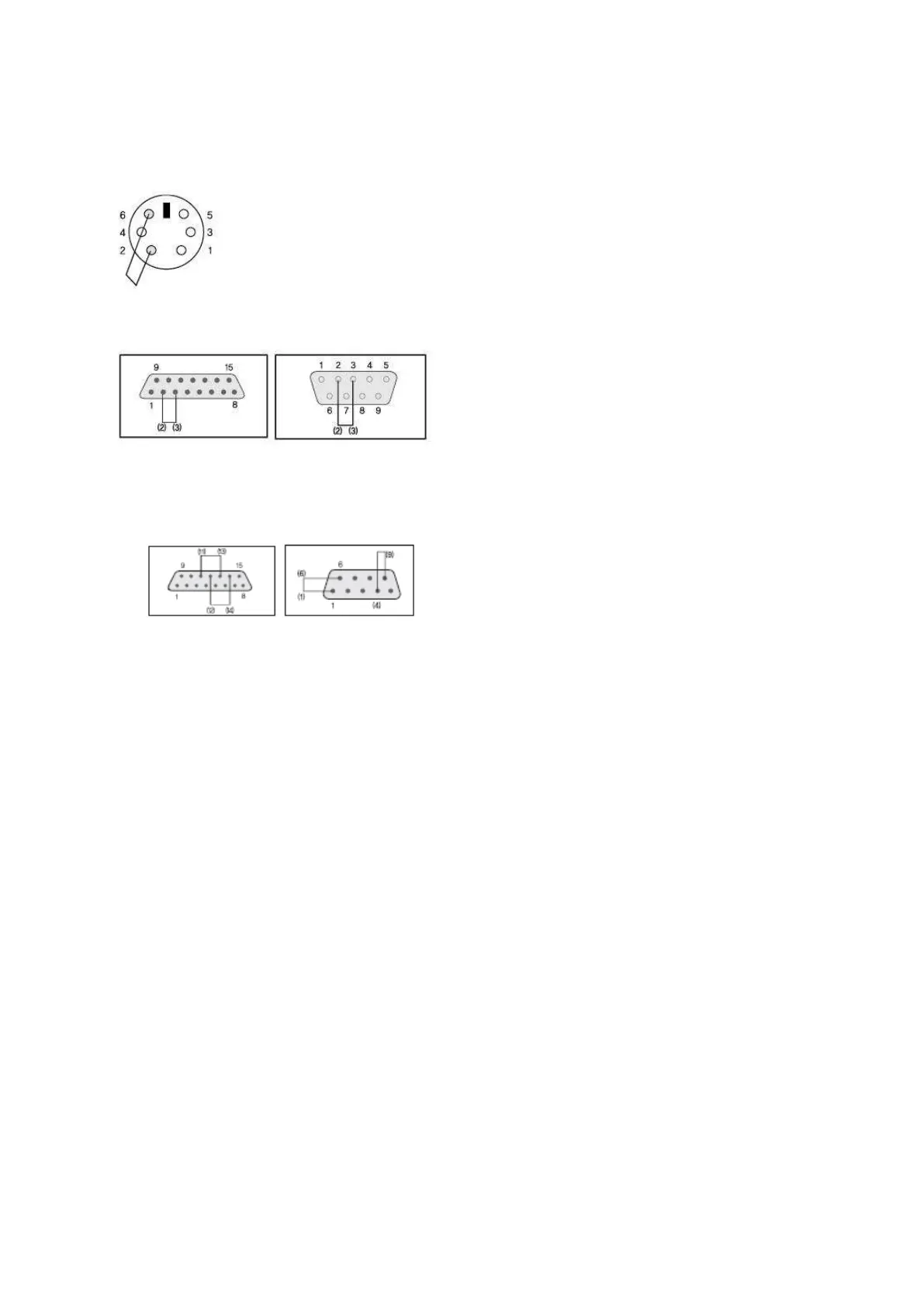
Please wiring COM1/COM2 Port as below Pic., Before testing the Self Diagnosis of each COM Port
in the Main Menu.
1. COM1 Port Wiring
2. COM2 Port Wiring(RS-232C)
Note: As stated above wiring of Each COM2 Port is set by RS-232C. So It is essential to change the COM2 Serial Signal
Level No.5 Item to “RS-232C” in the Comm. Setup of Main Menu.
3. COM2 Port Wiring(RS-422/485)
Note: As stated above wiring of Each COM2 Port is set by RS-422/485. So It is essential to change the COM2 Serial
Signal Level No.5 Item to “RS-232C” in the Comm. Setup of Main Menu.



 To Next Page