04
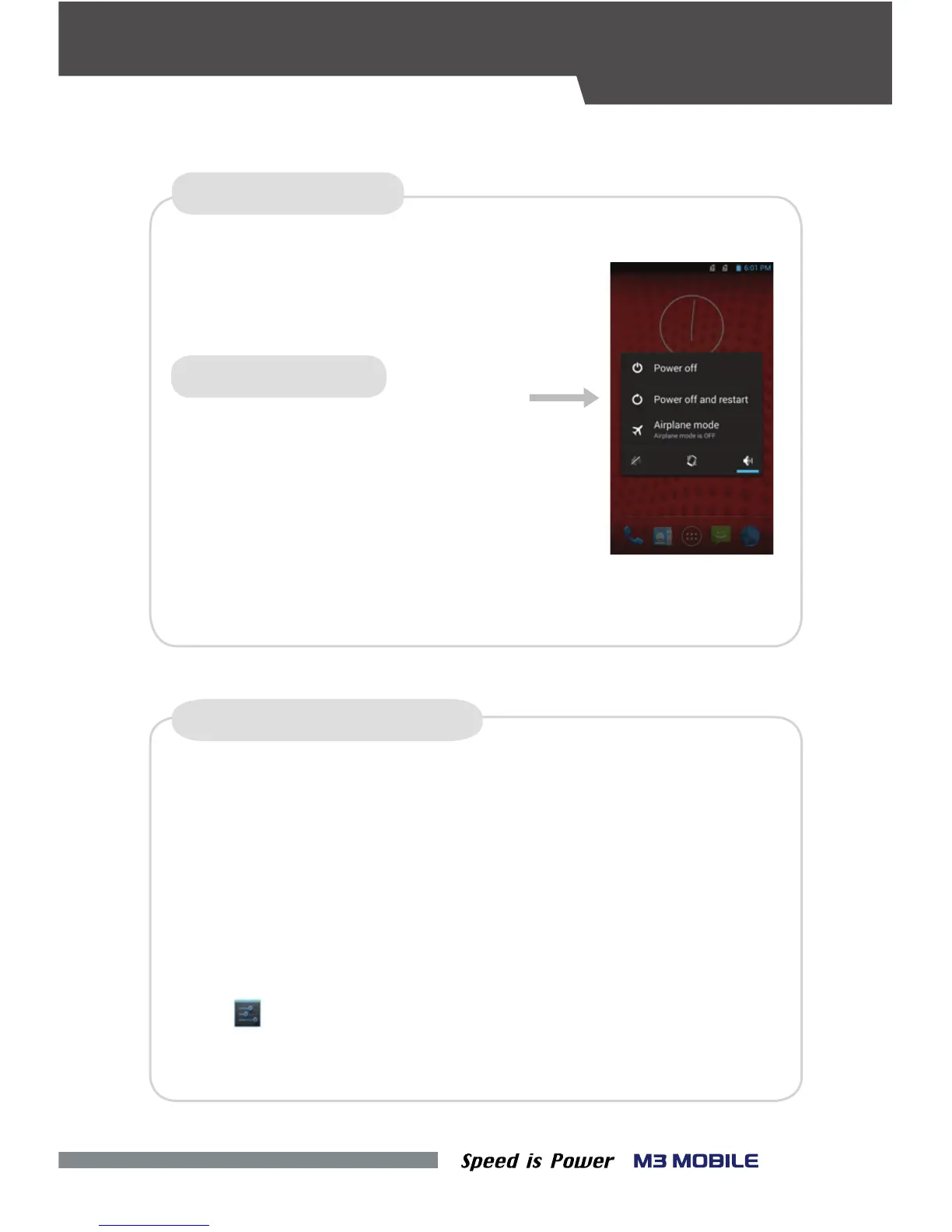
Press and hold the Power button to
display the power management menu. Select the
For factory reset, perform the following procedure.
•
SOFT RESET (1)
FACTORY DATA RESET
If a serious problem occurs in the device or a problem is not resolved
through soft reset, perform factory reset.
According to the options, the document in the internal SD card or the
Micro-SD card may be deleted. As such, please check the options.
All settings will be reset.
Tap Backup & reset
→ Factory data reset →
“Power O and Restart” menu.
If the device stops its operation for a long time,
and the data or le being used will also be
deleted. However, the stored data or le will
The program being executed will end, and
not be aected by the soft reset.
press the Volume Down button + the Back button
+ the Camera button to perform soft reset.
Chek if Erase internal SD-Card is checked
→
Reset Phone
→
Erase everthing
SOFT RESET (2)
RESET
•


 To Next Page