08
•
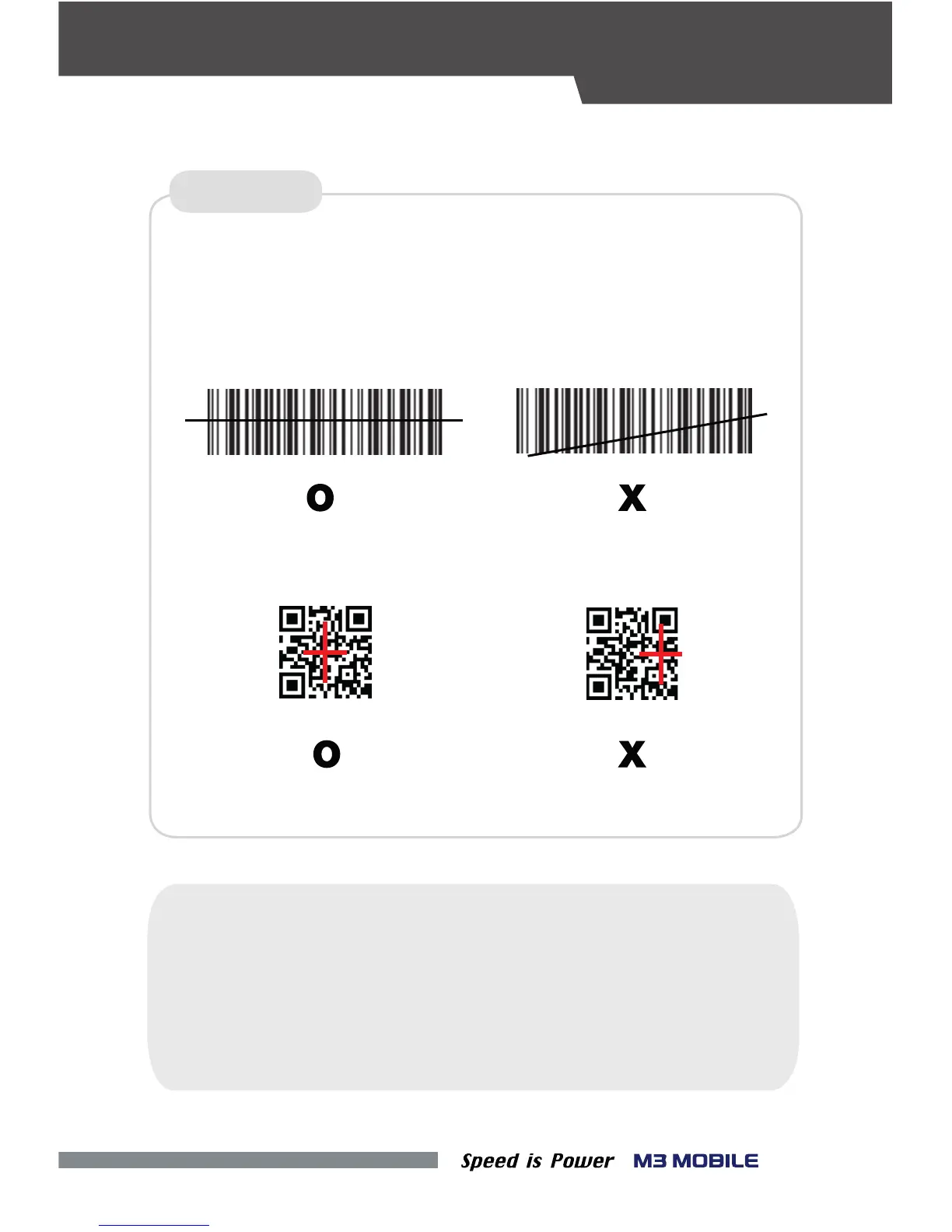
Place the device toward to the barcode desired, and press the Scan button.
The laser beam of the scanner should completely cover the bar code as shown
SCANNER
※ Warning
If the device is used for purposes other than that described in this manual,
DATA CAPTURE
in the following.
<1D Scanner>
<2D Scanner>
Do not look at the laser beam directly.
a user may be exposed to harmful electromagnetic waves.
(Class 2 Laser product 1.0 mW, Max Output: 650 nm)


 To Next Page