65
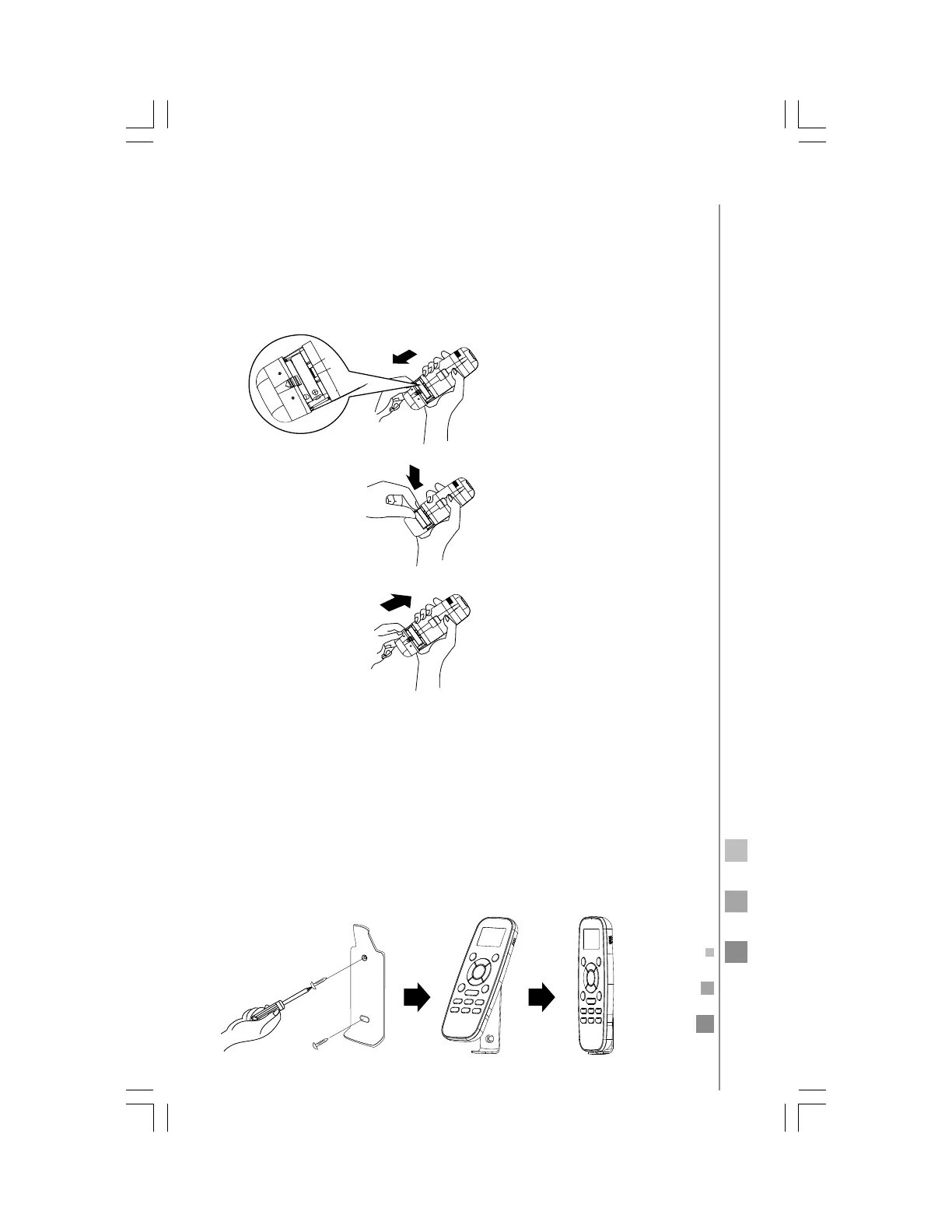
install the remote control batteries
1. Remove the batteries cover according to the arrow direction.
2. Insert new batteries making sure that the batteries' polarity (+)
and (-) are matched correctly.
3. Replace the batteries cover by sliding it back into position.
1
2
3
Note: Use 2 LR03 AAA (1.5 Volt) batteries. Do not use rechargeable
batteries. When the display dims, replace batteries with new ones of
the same type.
remote control holder (optional)
The remote control may be stored mounted on a wall using the re-
mote control holder.
Note: The remote control holder is an optional accessory.



 To Next Page